Different branch plans do not explicitly define deployment approaches, however, there are common associative methods for each plan, which are described in the subsequent pages. This page provides the baseline terminology that will be used in the remainder of this material.
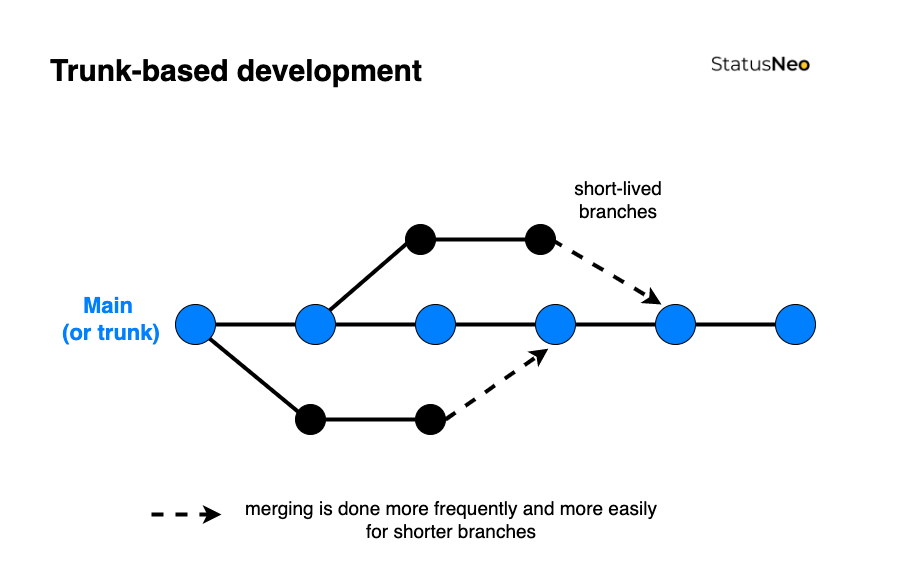
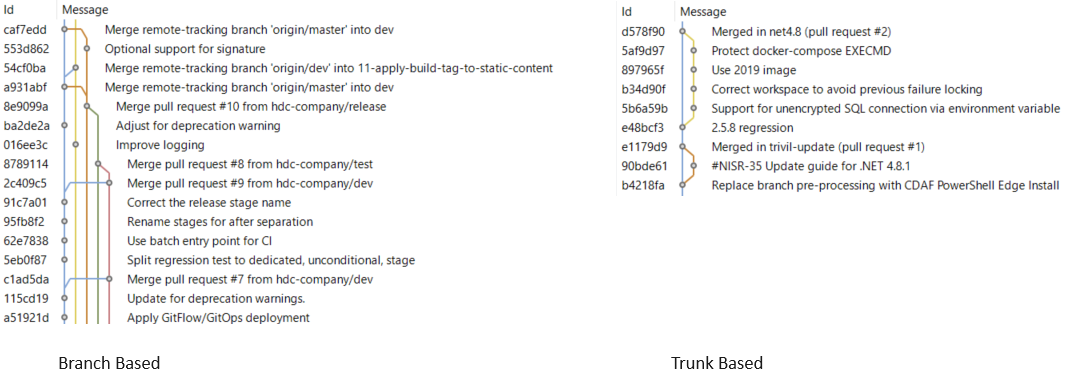
Trunk Based
Commonly referred to as Trunk Based Development. This is the simplest strategy and is commonly synonymous with Continuous Delivery (more on this to come). The only long running branch is main.
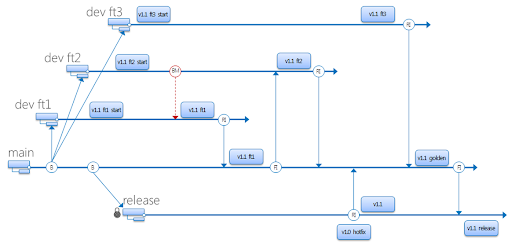
Simple Branch Plans
This branch strategy has been promoted by Microsoft, and is fundamental in their deploy process within Visual Studio. with two (or sometimes more) long-lived branches, e.g. main being used for test and release being used for production. Each additional environment requires another branch.
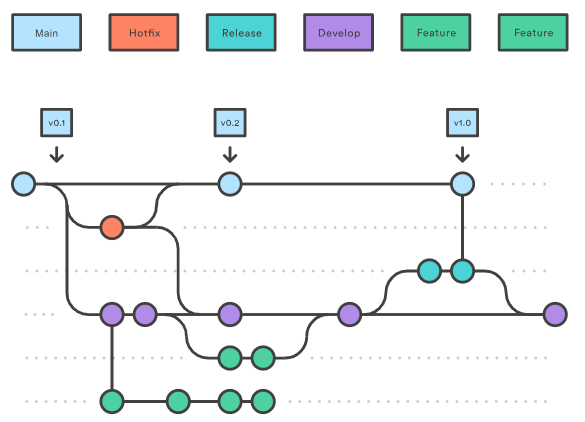
GitFlow
Originating from distributed source control systems, with prolonged disconnection. The majority of source control tools provided now are centralised server solutions, which obfuscate the underlying distributed architecture. GitFlow has continued, while being adjusted to use Pull Request/Merge Request to merge between branches. This typically has many long-lived branches, e.g. main, develop, release, hot-fix.
Continuous Delivery (CD) decouples the release activity from development activity. Unlike Continuous Deployment, Continuous Delivery has one or more approval gates. At time of writing, the majority of pipeline tools support approval gates, with the exception of the GitHub Free tier.
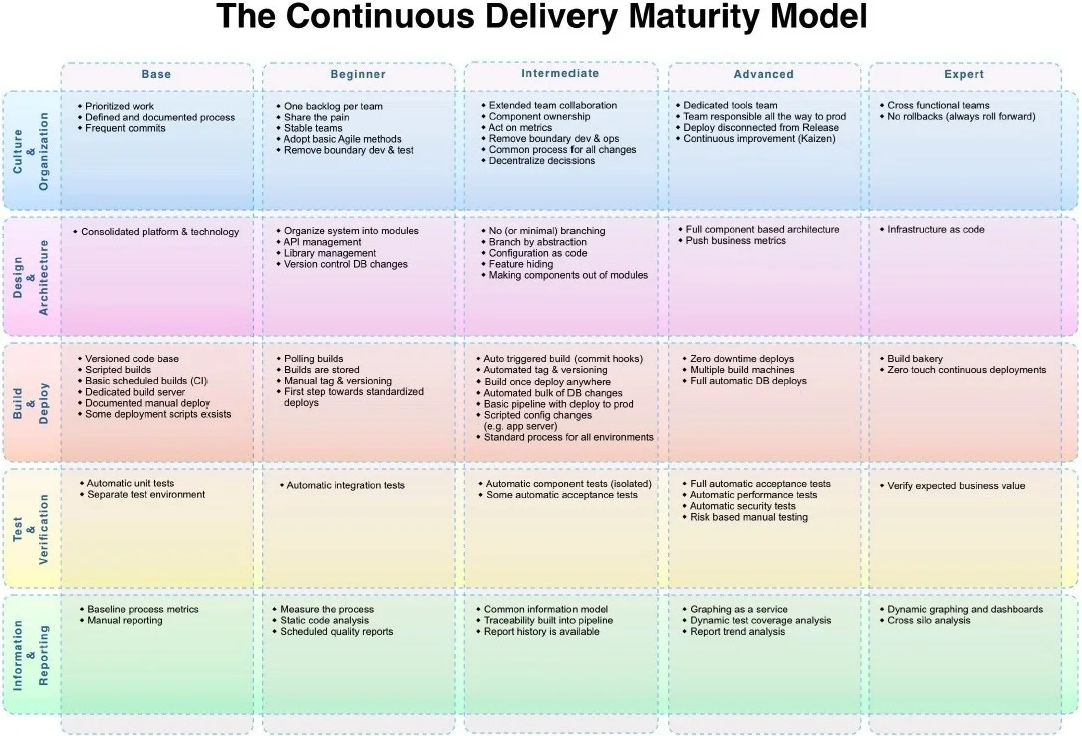
The Continuous Delivery Maturity Model
A fundamental aspect of Continuous Delivery is to build once and deploy many times. This means the output of the development process (Continuous Integration) is an artefact which can be re-used to deploy to multiple environments. The artefact represents the Release. Once this artefact is produced, the developer input is complete, and a non-development user, i.e. Test Managed or Product Owner can promote the release through various environments to production.
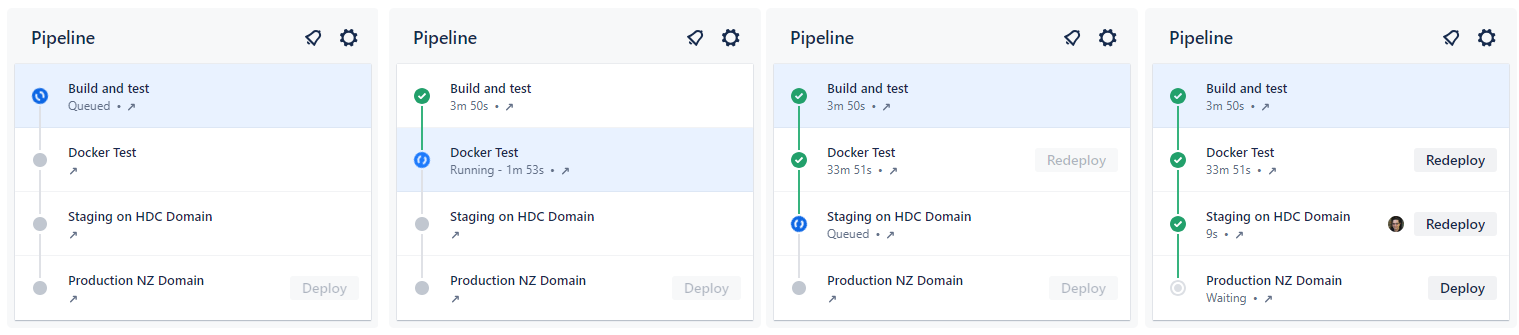
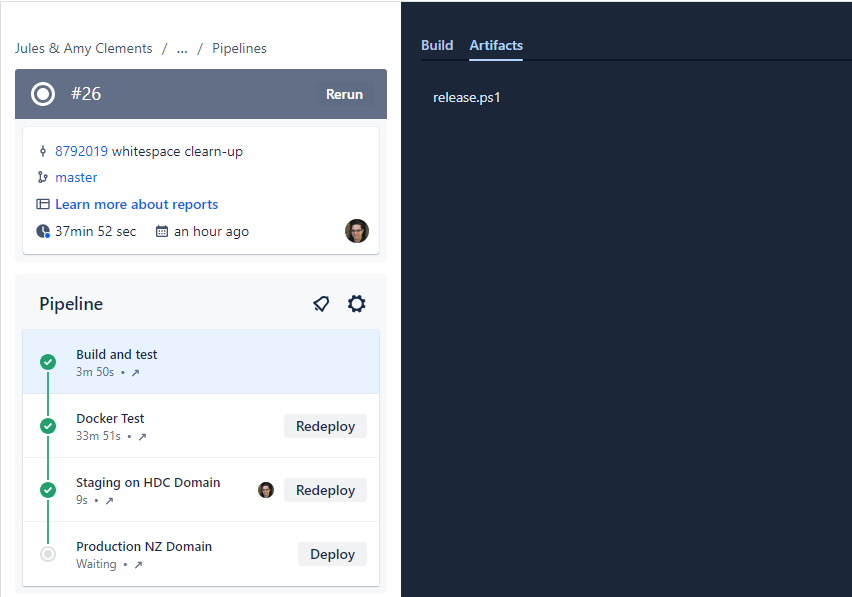
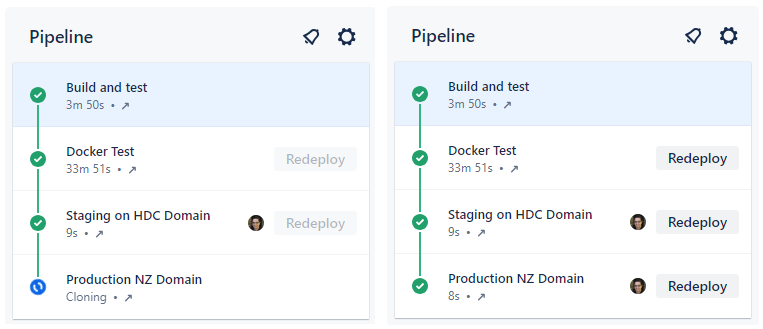
In this example, the first stage is Continuous Integration (CI) which produces the release. Each stage after that is automatically executed, with an integration test stage, and then deployment to the staging environment. After the deployment to staging, the pipeline stop, awaiting approval.
The release artefact in this example is #26, and this is re-used in each deployment phase.
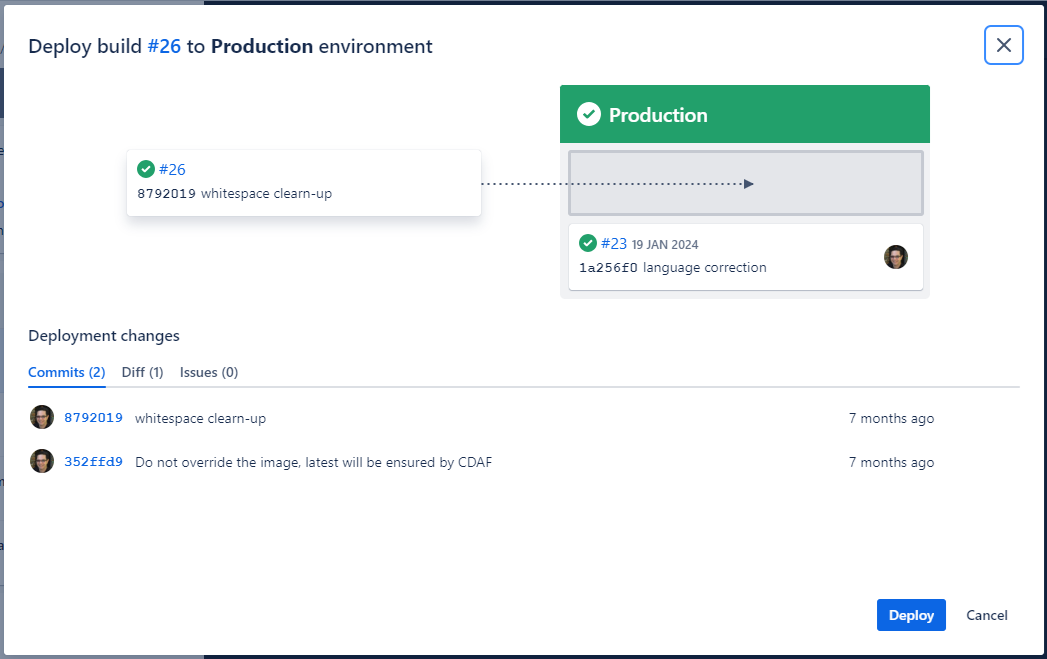
The approval gate advises the approver of what release is currently in production (#23) and what release will be deployed.
Once approved, the same artefact that was tested, is now promoted to Production, completing the pipeline.
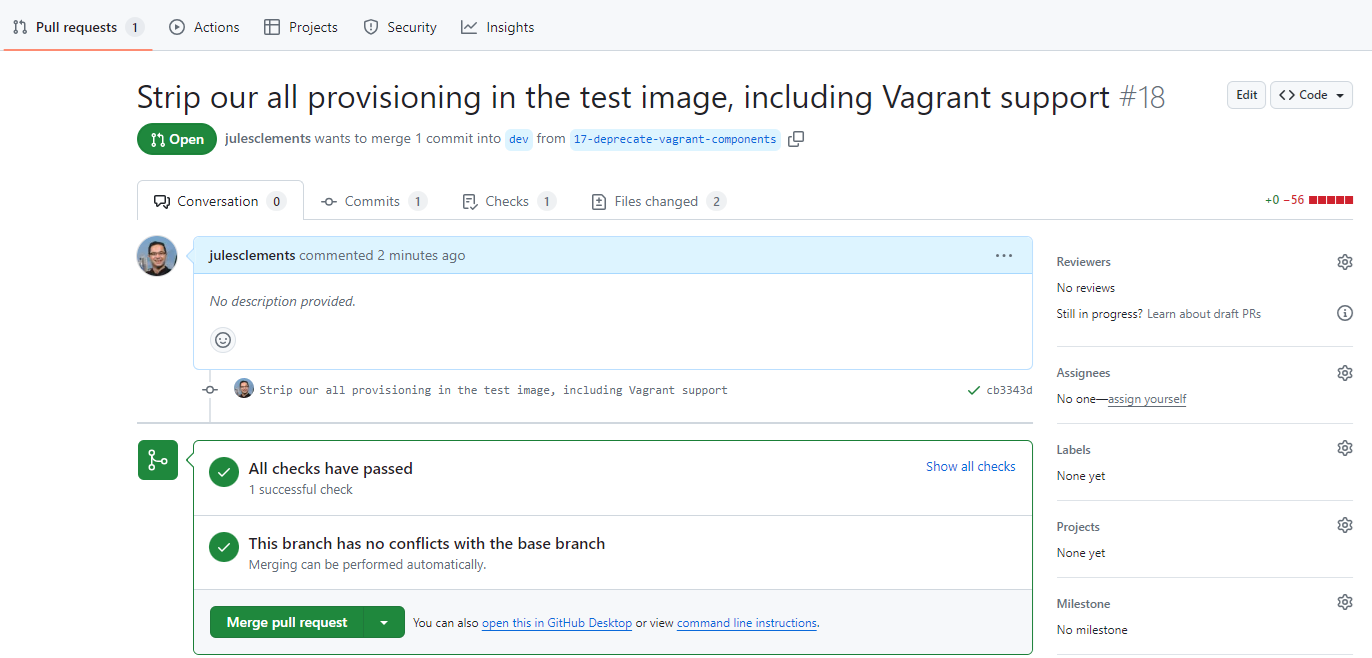
Where the pipeline tool does not support approval gating, but a review and approval mechanism is desired, the “Pull Request”/“Merge Request” can be used. The resulting approval will rebuild the solution and deliver it to the defined environment.
Branch Based Deployment
There are a variety of methods used within a branch based deployment approach, the following is a common example.
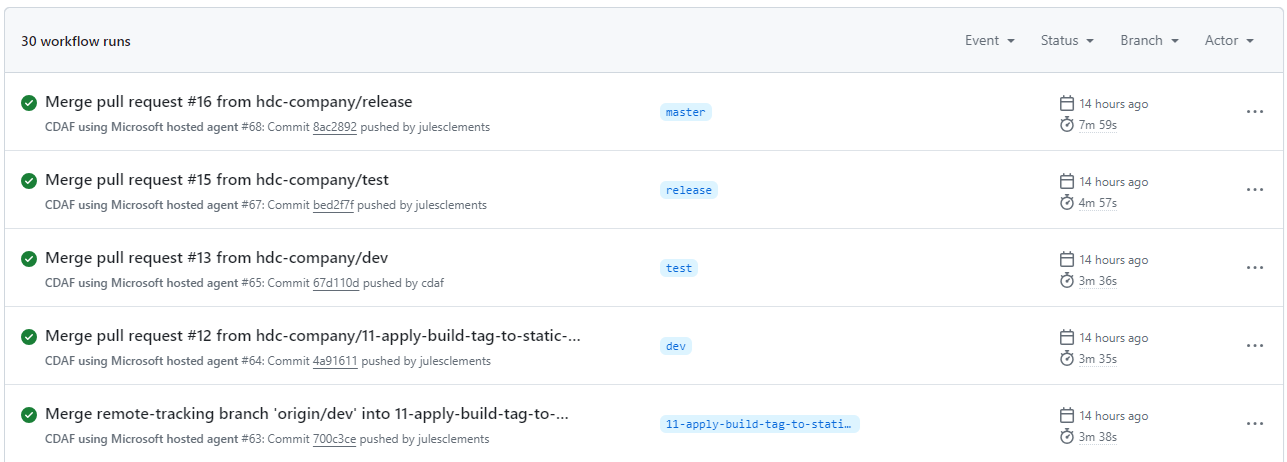
A long-living branch is defined for each target environment, in this example dev, test and release. A source of truth branch exists (main) which does not trigger a deployment.
Unlike Continuous Delivery, a separate build is created for each environment, e.g. #64 in development, #65 in acceptance test, etc.
The long-lived branches provide a high level of concurrency and flexibility to skip stages, or deploy a selected feature or fix (known as “Cherry-picking”).
To “promote” changes from feature to development, then on to test and production, a pull request is raised for each stage. In this scenario it is typically a fellow developer that reviews and approves the change, and not a business user, i.e. Product Owner.
The merge triggers the corresponding build and deploy for the target branch/environment.
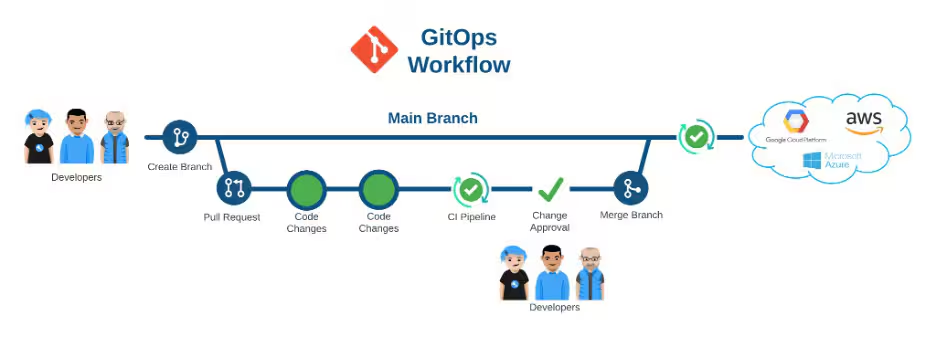
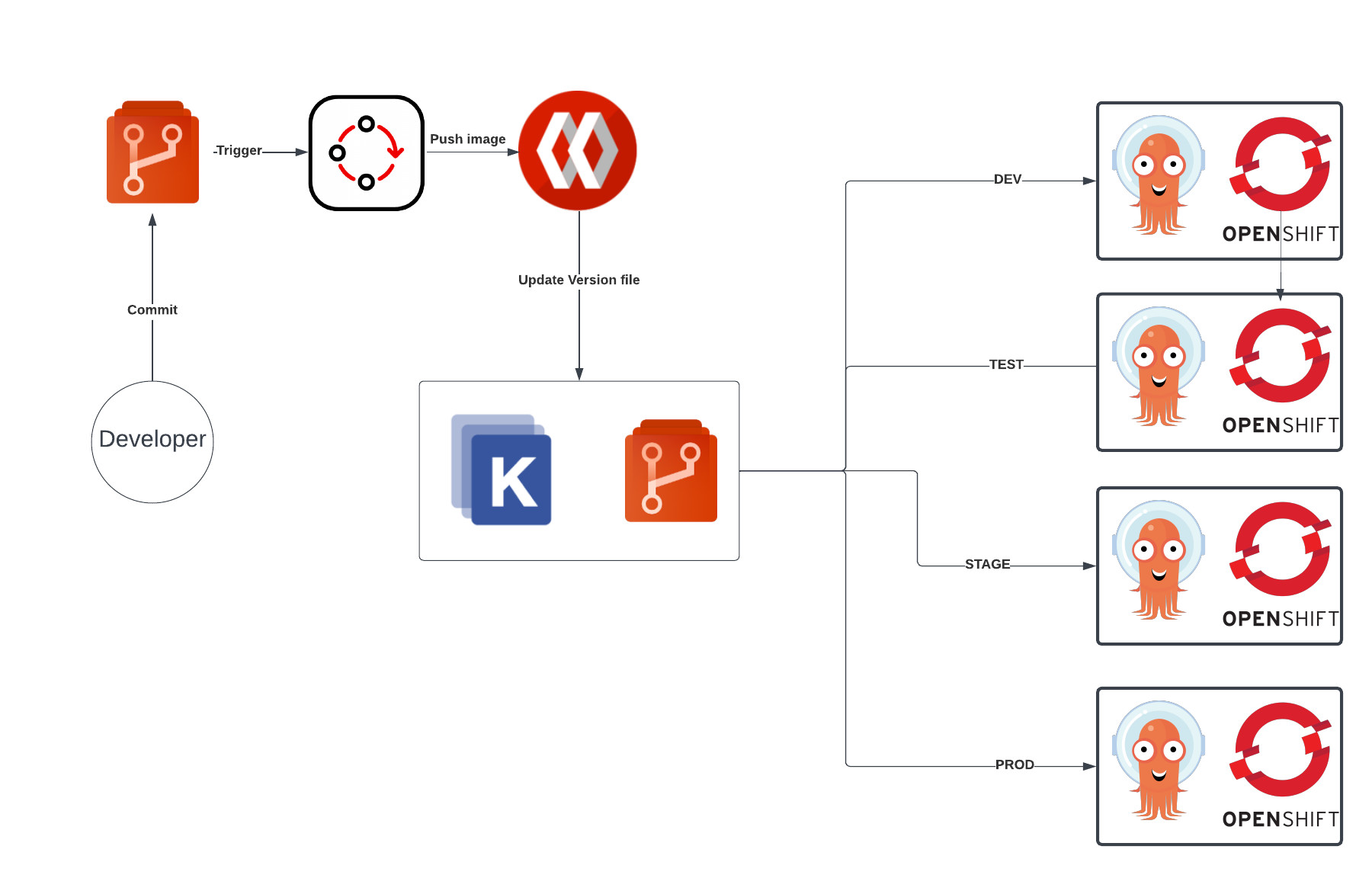
GitOps is another branch based deployment approach, however it typically does not have a Continuous Integration construct, and instead deploys directly from source control.
Branch Based Deployment Directly from Source Control
GitOps is commonly portrayed as Trunk Based
Each target environment maybe defined as a directory, but in many some cases, i.e. to provide a gating mechanism, like Branch Based Deployment, multiple long-lived branches are used.