Release
Release Definitions and Tools
A release can mean different things to different organisations. For product build teams who distribute to many customers, a release is the shippable product made available to consumers, and this is not the context of the following material.
The release process is the final stage of the software delivery pipeline, and is the point at which the software is made available to end-users or customers. The release process can involve several steps, including:
- Deployment: The software is deployed to the production environment. This can be done manually or through automated deployment tools.
- Testing: The software is tested in the production environment to ensure that it is functioning as expected. This can include smoke testing, performance testing, and user acceptance testing.
- Monitoring: The software is monitored for any issues or errors that may arise after release.
- Rollback: If any issues are detected, the release process should include a rollback plan to revert to the previous stable version of the software.
- Communication: The release process should include communication with stakeholders, such as customers, users, and internal teams, to ensure that everyone is aware of the release and any potential impacts.
The release process is a critical part of the software delivery pipeline, and it is important to have a well-defined and tested release process to ensure that releases are successful and do not cause issues for end-users or customers.
Build Once, Deploy Many
The principle of “build once, deploy many” is a key concept in software delivery and release management. It refers to the practice of building a software application or component once and then deploying that same build to multiple environments, such as development, testing, staging, and production.
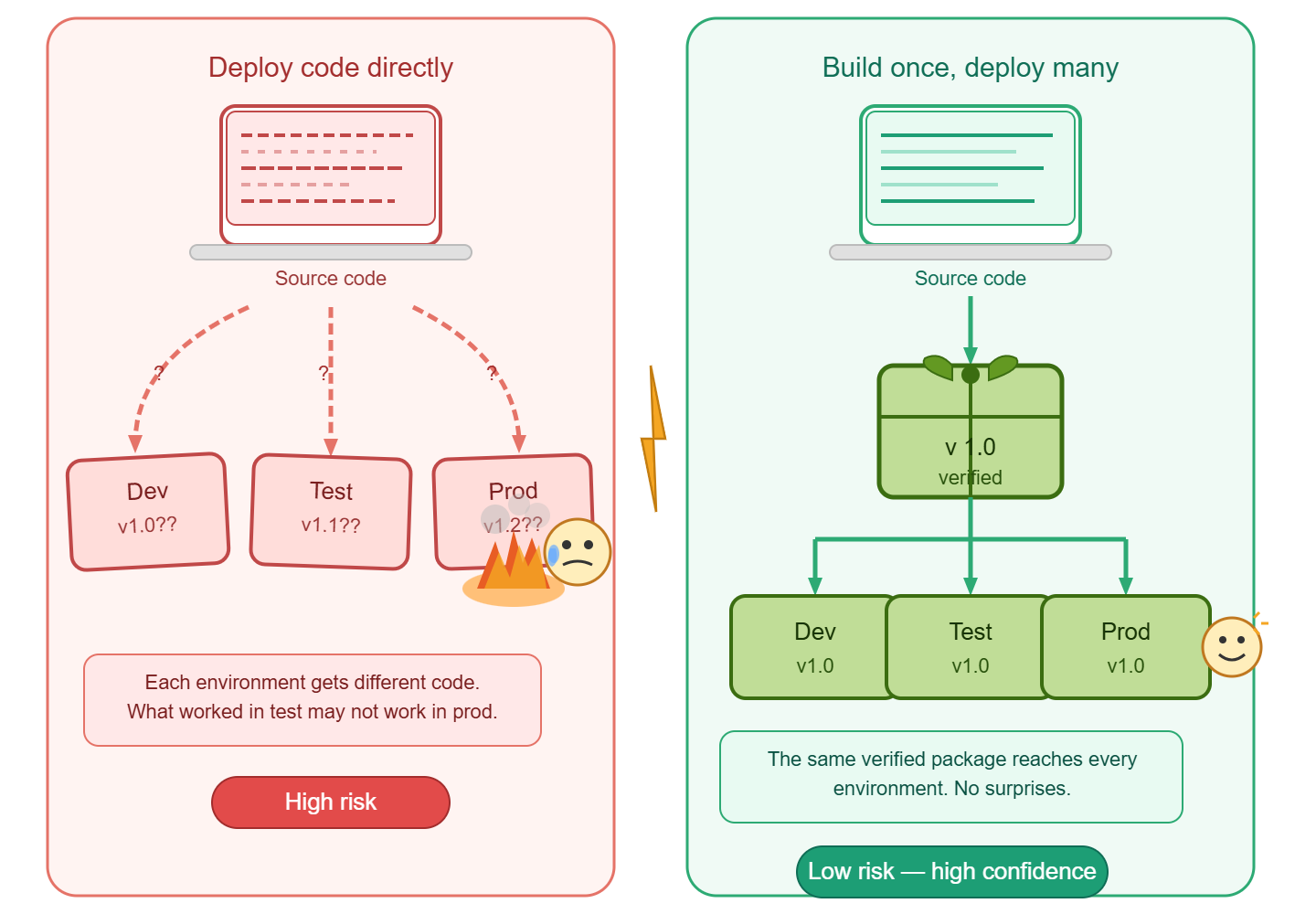
Code is not released
While interpretive languages, e.g. Javascript, Python, etc. can be deployed directly from source control, this approach is not a release. Compiled languages which are recompiled for each environment are also not a release.
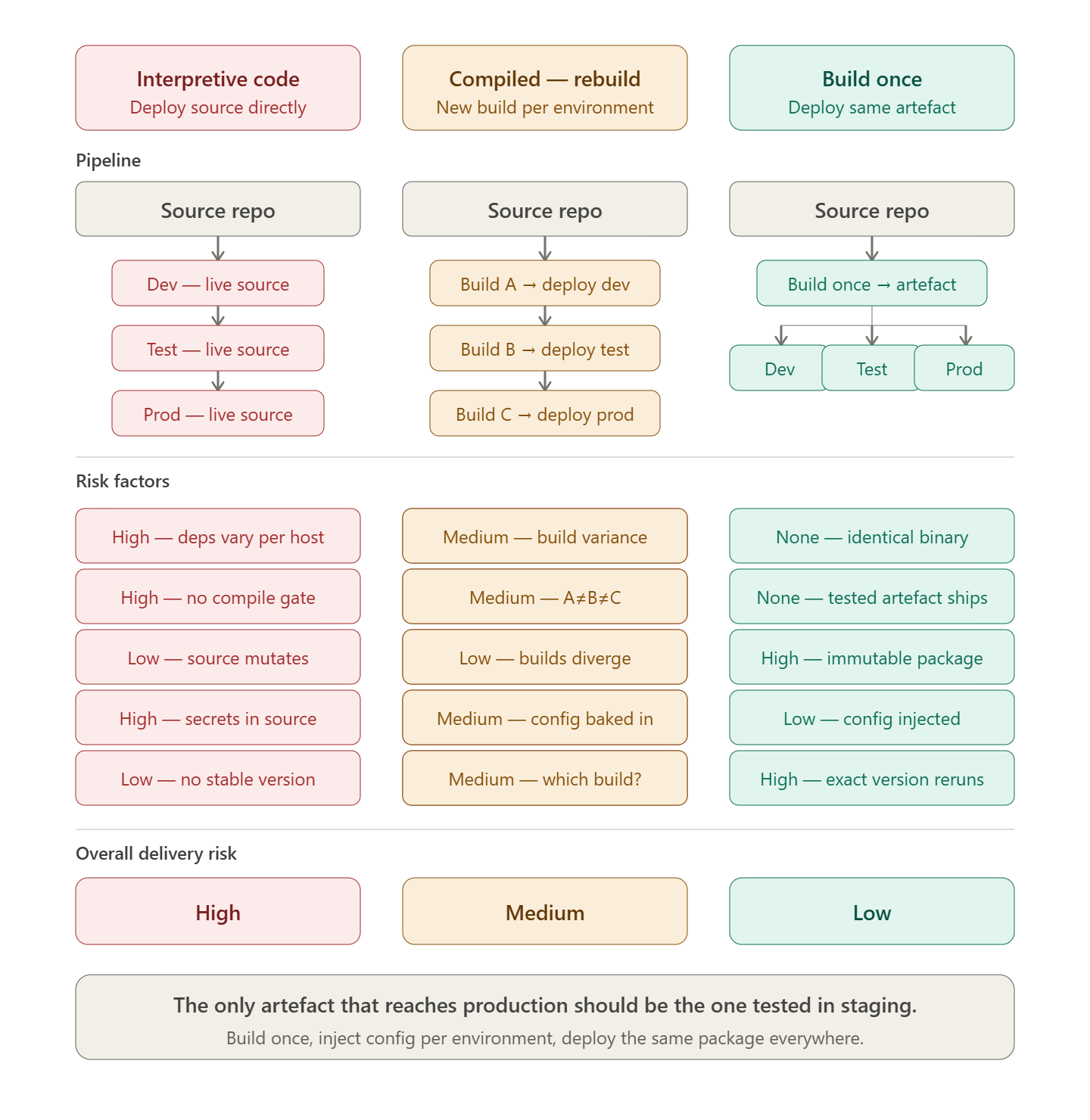
The release artefact is the output of the build process, and should be immutable, meaning that it cannot be modified after it has been built. This allows for consistency across all environments, as the same build can be deployed to each environment without any changes. The following tools facilitate the deployment of one or more release packages, independent to the source code that created them.
Octopus DeployOctopus Deploy is a dedicated release orchestration and deployment automation tool. It treats the release as a first-class concept: a versioned, immutable snapshot of one or more packages that is promoted through environments rather than rebuilt. Key characteristics relevant to build-once, deploy-many:
Octopus separates the concern of building (handled by your CI tool) from releasing (handled by Octopus), which aligns directly with the principle that the artefact tested in staging is the artefact shipped to production. |
Azure DevOps ReleasesAzure DevOps Releases (part of Azure Pipelines) provides a pipeline-based release orchestration layer that sits downstream of the build pipeline. A release definition consumes build artefacts and controls their progression through a sequence of stages. Key characteristics relevant to build-once, deploy-many:
Azure DevOps Releases is particularly well-suited to organisations already invested in the Microsoft toolchain, providing a governed promotion path from a single build artefact across all environments. |
Implementation Patterns with CDAF
- Declarative Release for implementation examples, which incorporate intermediary tools such Ansible Tower, Puppet Enterprise and Terraform Cloud
- Release Trains for implementation examples, which incorporate Octopus Deploy and Azure DevOps Release feature