The Application Stack in this example deploys two components, static content and an API.
graph TD

  Agent["🌐"]

  subgraph vm1["☁️ CloudFlare"]
    content["Static Content"]
    API
  end

  Agent --> content
  Agent --> API

classDef external fill:lightblue
class Agent external

classDef dashed stroke-dasharray: 5, 5
class vm1,vm2,vm3,vm4 dashed

classDef dotted stroke-dasharray: 2, 2
class vm1-pod-1,vm1-pod-2,vm2-pod-1,vm2-pod-2,vm3-pod-1,vm3-pod-2,vm4-pod-1,vm4-pod-2 dotted
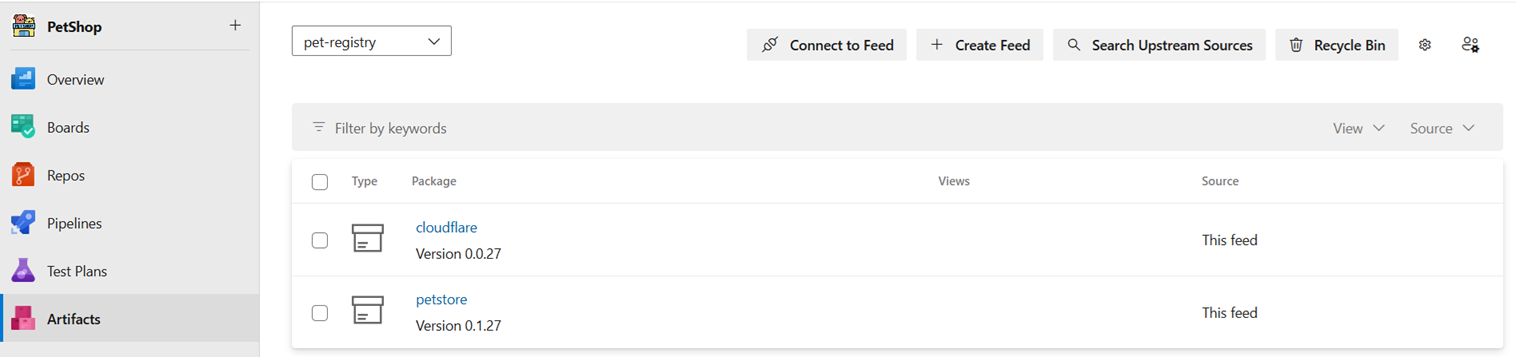
Each component publishes a self-contained release package to the Azure DevOps (ADO) artefact store. The ADO Release orchestrates these package deployments for each environment, ensuring the complete stack is promoted through each environment with aligned package versions.
graph LR

  subgraph static["Static Content"]
    Sbuild["Build"] -->
    Stest["Test"] -->
    Spublish["Publish"]
  end
  subgraph API
    Abuild["Build"] -->
    Atest["Test"] -->
    Apublish["Publish"]
  end

  subgraph Release
    TEST
    PROD
  end

  store[(ADO Store)]

  Apublish --> store
  Spublish --> store
  store --> TEST
  TEST --> PROD

classDef release fill:lightgreen
class TEST,PROD release
Each component contains both application code and deployment automation. The development team can imperatively deploy to the dev environment, i.e. the API and Vue application can be deployed separately, with no assurance of version alignment.
Example Vue properties.cm file, the deployment tool used is Wrangler.
context    target  pages_app_project  fqdn                 api_url
container  DEV     petstore-dev       vue-dev.example.com  api-dev.example.com

container  TEST    petstore-tst       vue-tst.example.com  api-tst.example.com
container  PROD    petstore-prd       vue.example.com      api.example.com
Example API properties.cm file, the deployment tool used is Terraform.
context    target tf_work_space  pages_suffix
container  DEV    PetStack-Dev   dev
container  TEST   PetStack-Test  tst
container  PROD   PetStack-Prod  prd
Due to the loose-coupling principle of CDAF, the same pipeline template is used for both components, even though the code and deployment automation are different (see orchestration templates in GitHub for Windows and Linux).
note that Jest for Vue and Checkov for Terraform have both been configured to output results in JUnit XML format.
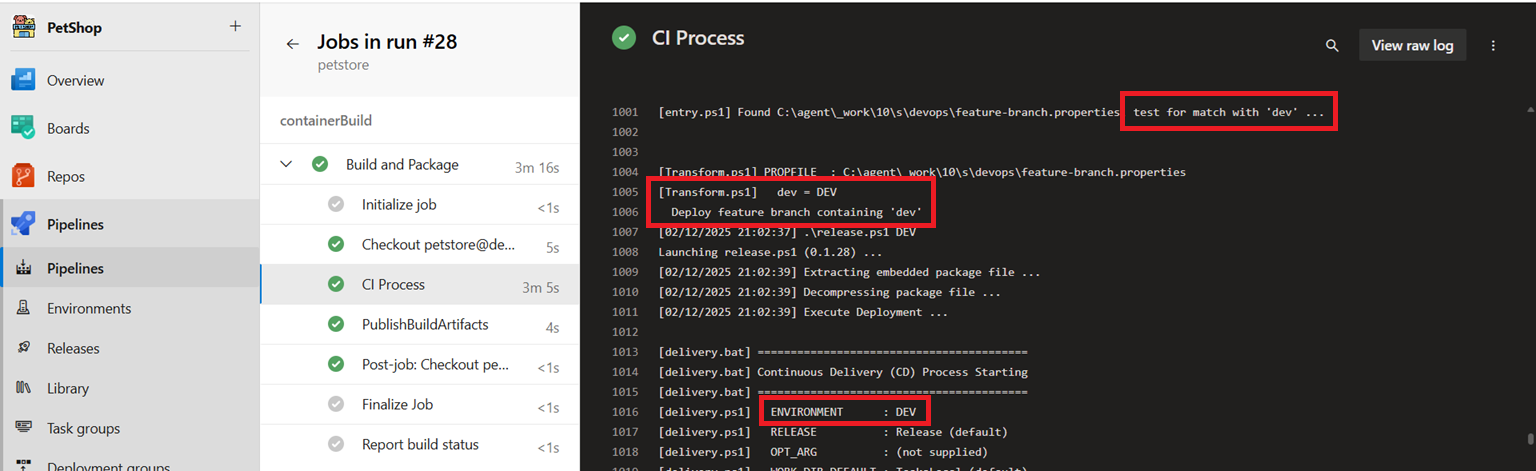
By using the feature-branch.properties capability of CDAF, branches containing the string dev will deploy to the development environment. This feature allows imperative deployment by the development team, without manipulating the pipeline, and therefore avoiding drift.
vue
# Feature Branch name match mapping to environment
dev=DEV
API
# Feature Branch name "contains" mapping to environment
dev=DEV release 'apply --auto-approve'
In the feature branch, where dev is in the branch name, CDAF will detect and execute a deployment, using the mapping above to invoke a release to DEV.
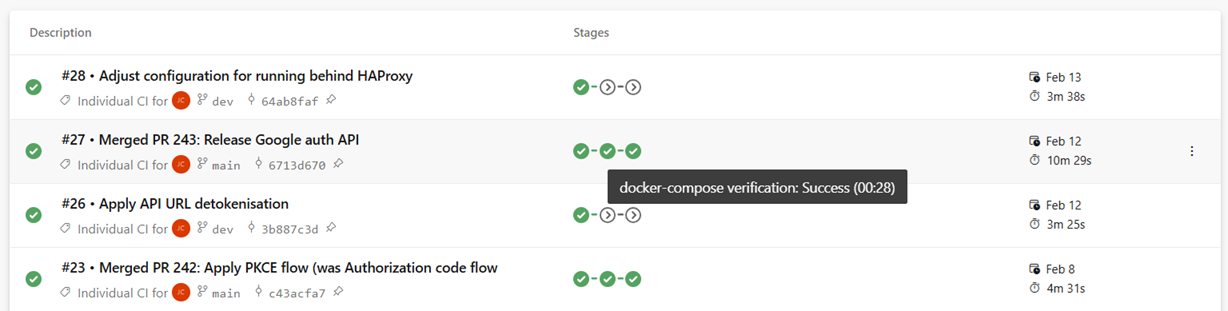
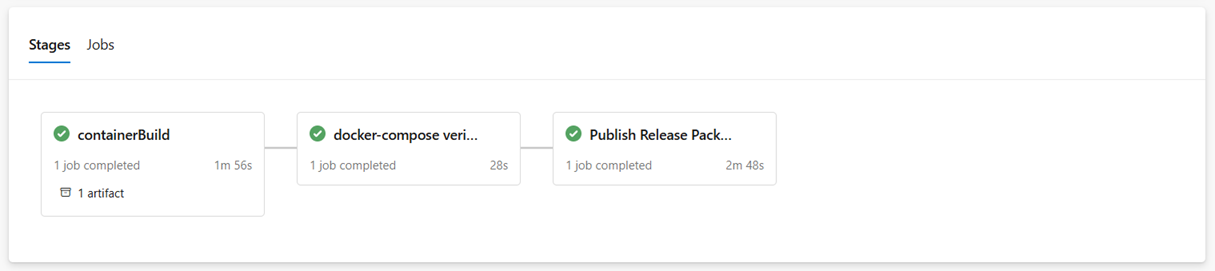
The trunk based pipeline will only push a release artefact from the main branch, with a stand-up/tear-down integration test of the production build.
the final stage of the main pipeline is publication. This pushes the release package to the artefact registry.
Each component publishes their release package, so although they use different technologies, they are now available as consistent packages, using the CDAF package process, which outputs a self-extract release.ps1 (of release.sh for linux) file.
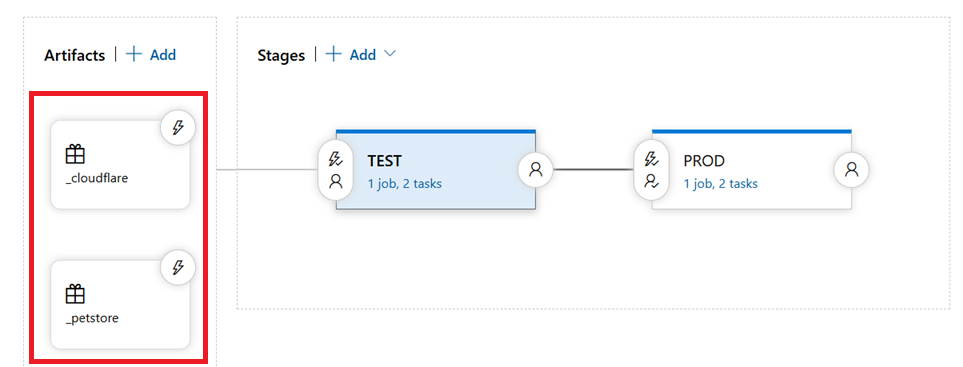
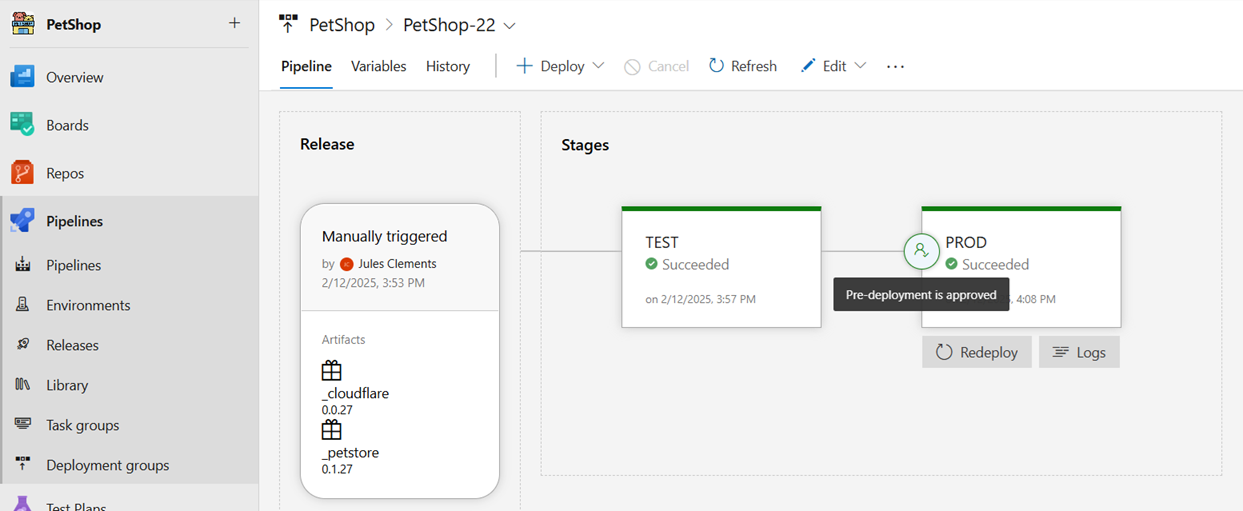
The ADO Release function is used to create a release, and promote it through the environments. The release obtains the components from the artefact store
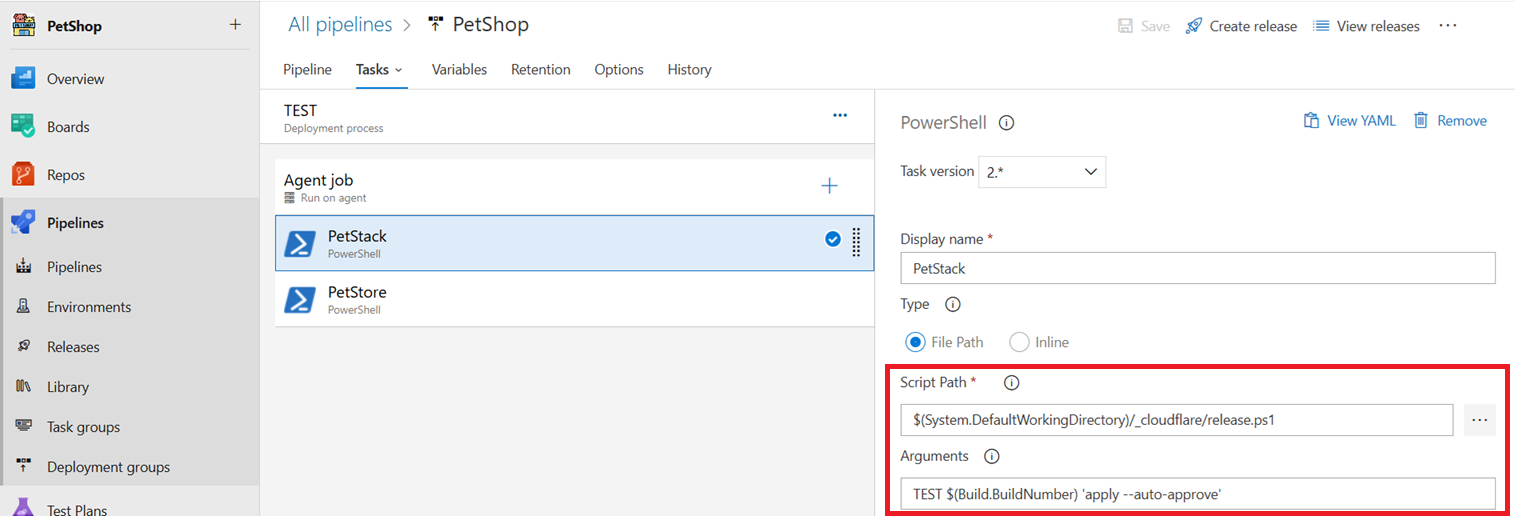
The Release is defined in order of dependency, i.e. the CloudFlare infrastructure is created/updated and configured with the API, then the front-end is deployed to the infrastructure.
The release itself includes to deployment logic, it simply invokes the packages provided by the component development team.
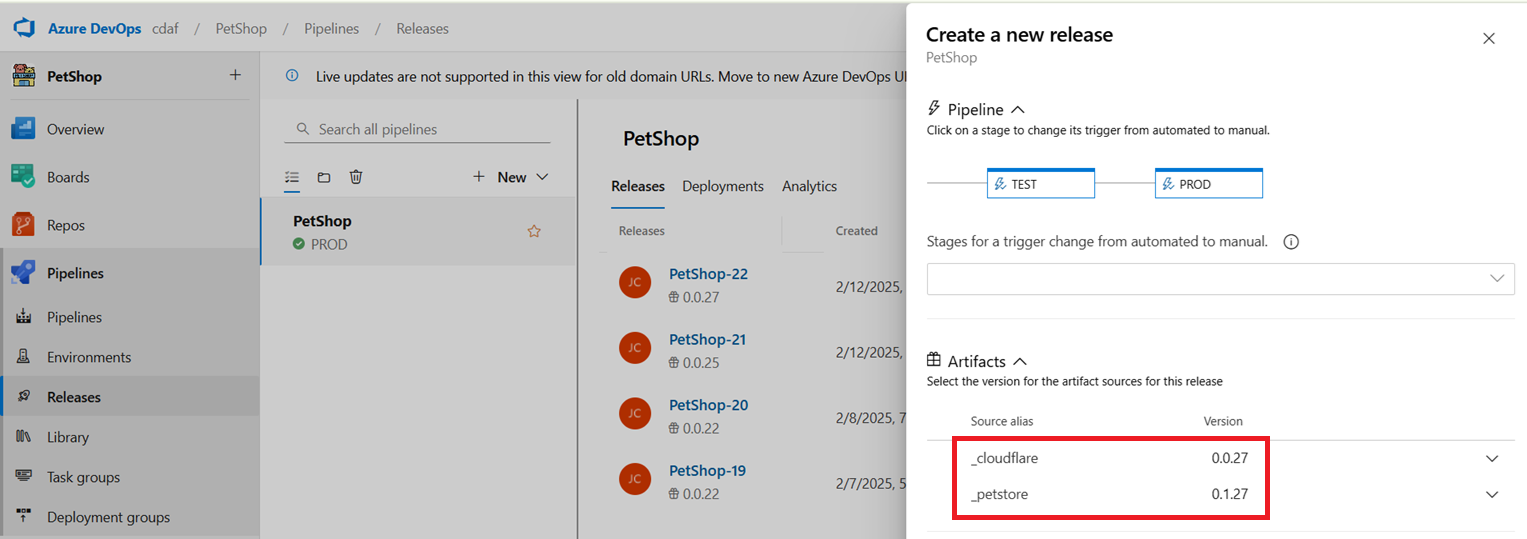
When a new release is created, the latest versions are defaulted, and this defines the manifest for the release, i.e. different versions cannot be deployed to different environments. This ensures the stack is consistency promoted.
The latest versions do not have to selected, but whatever is selected is static for that release instance.
When the release is promoted, no manual intervention is required, except for approval gates, which can be approved by business or product owners, and does not require any further development effort.