These articles provide the experiences and learnings which lead to creation of the Continuous Delivery Automation Framework (CDAF). Also included are articles to clarify terminology used, and provides context between these and CDAF.
As mentioned in the Continuous Delivery Automation Framework (CDAF) introduction, this is one of the founding principles…
Loose Coupling : Designed for workstation implementation first, with no tight coupling to any given automation tool-set
Lowest Common Denominator : Using the minimum of the tool-chain plugins & capabilities, to ensure loose coupling
Package Portability : Package Task execution designed for automated push / pull or manual deployment
While this approach protects the pipeline from degredation due to plugin issues, and allows the author to control behaviour, e.g. logging, retry, it is fundamentally important from an ownership, portability and reusability perspective.
Shift-Left & Failing Fast
Shift-left is the principle of bringing solution aspects closer to the developer, as the cost of failing early is exponentially less costly than failing in production. While this discipline is commonly associated with software development, it should be considered a fundamental objective for all aspects of the solution, including infrastructure and configuration management.
Consistent Ways of Working
Infrastructure, Application and Testing automation should follow the same patterns of delivery. By doing so, a full, tested, solution can be delivered repeatabily and predictably.
Contributor Ownership
By constructing and testing the automation locally, the contributor can ensure it is healthy prior to comitting to source control and executing in the pipline. The more features that are performed within the automation itself, and the less dependency on any given pipeline, reduces the friction of changing vendor should that be required or desired. See the do nothing pipeline for an elaboration on automation health.
Reusable Asset
By creating Infrastructure, Application and Testing automation output that is portable and autonomous, it can be used for not only the pipeline deployment, but for local execution, allowing the creation of production like environments at will. See the feedback loop realisation for a detailed example, based on the feedback loop approach.
Do Nothing Pipeline
To embed automation into the feature development lifecycle, a pipeline should exist at the earliest possible time, configured to initially “do nothing” at deploy time.
Enough to make it run
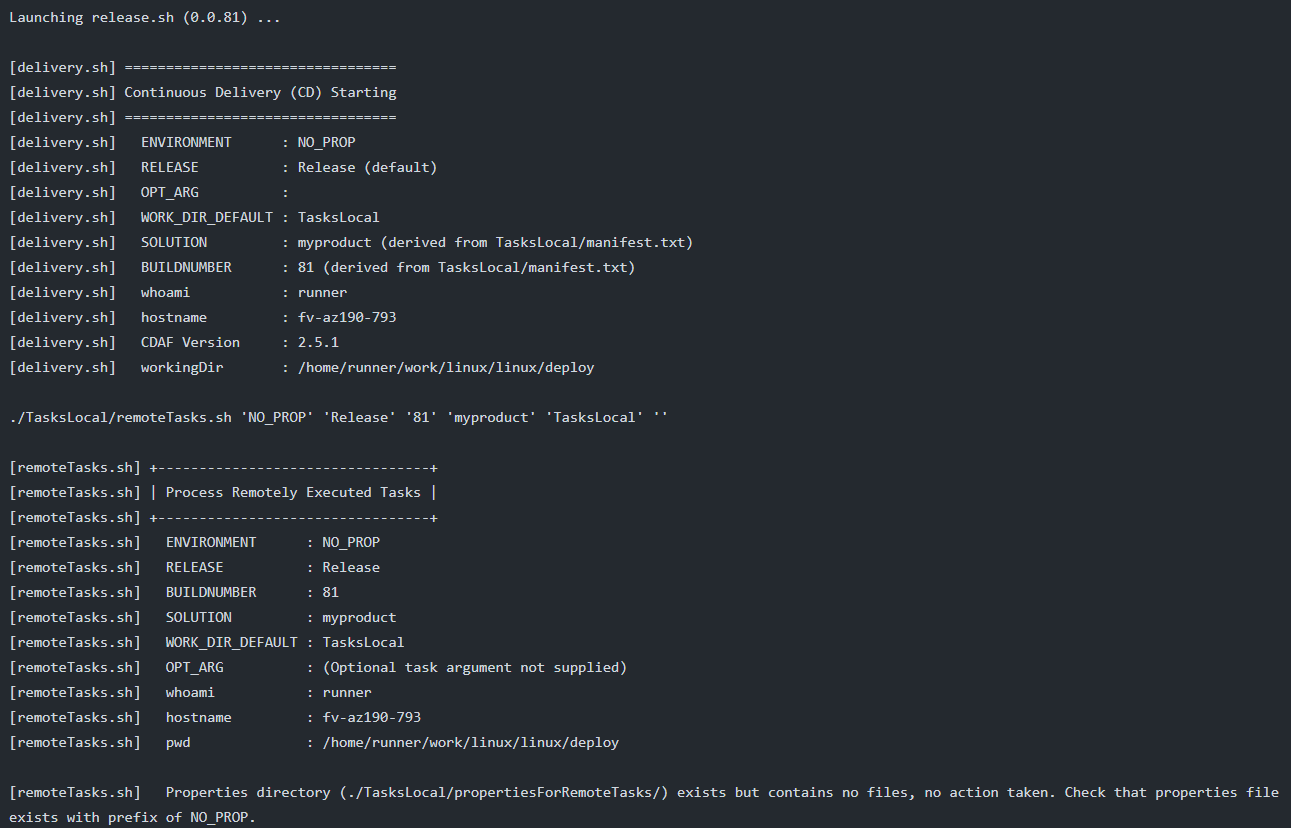
A key principle of the Continuous Delivery Automation Framework (CDAF) is loose coupling. The intention is that the same automation that will be performed by the pipeline, can be developed and tested on the local workstation. Once the minimum automation is available, then the pipeline should be created.
Do-Nothing Pipeline
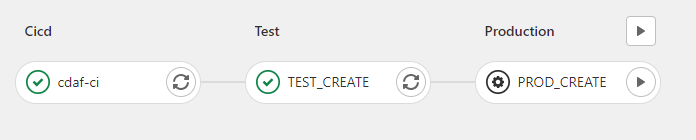
Ensure the pipeline runs successfully through all stages, e.g. if you have, test, staging and production stages, execute a do-nothing process in each to ensure the basic wiring of your pipeline is sound.
Fail Successfully
Intentionally push a change which causes the pipeline to fail, to ensure contributors can be confident that the pipeline is not giving false positives.
A do nothing pipeline ensures an automation-first approach, with early detection of build failures, however, this can be taken further. Making your first deployed environment Production!
Typically pipelines deploy to the development or test environments first, and eventually progress to production; discovering issues later in the software development lifecycle (SDCL). To realise a fail-fast approach, deploy nothing to production first. By nothing, the absolute bare minimum is the objective, typically something that displays the build number. This allows test teams to verify they are working with the correct build, and importantly, proving the delivery pipeline immediately.
The production environment can be scaled down as the proving ground for the solution architecture. Only when concurrency is required in your SDLC, should non-production environments be instantiated, based on your production environment, ideally via automation. See release train for an elaboration of how to combine automation of infrastructure, configuration management and software delivery.
Realising the Feedback Loop
Continuous Delivery to Shift-Left
While the DevOps Feedback-Loop, along with finding issues early by moving production-like environments closer to the developer (Shift-Left), are key principles, there is commonly no tangible way of achieving this.
In the typically incremental progression of continuous delivery implementations, eventually automation is built to deliver to production, and typically, that is where the story ends.
Before describing the realisation of the feedback loop, it’s important to highlight the underlying framework approaches that make this possible, which are:
Release Portability : the output of the build (Continuous Integration) process is a single, self-contained, deployable artefact
Loose Coupling : delivery orchestration does not use any proprietary mechanisms to deploy, the pipeline tool simply calls the deployable artefact
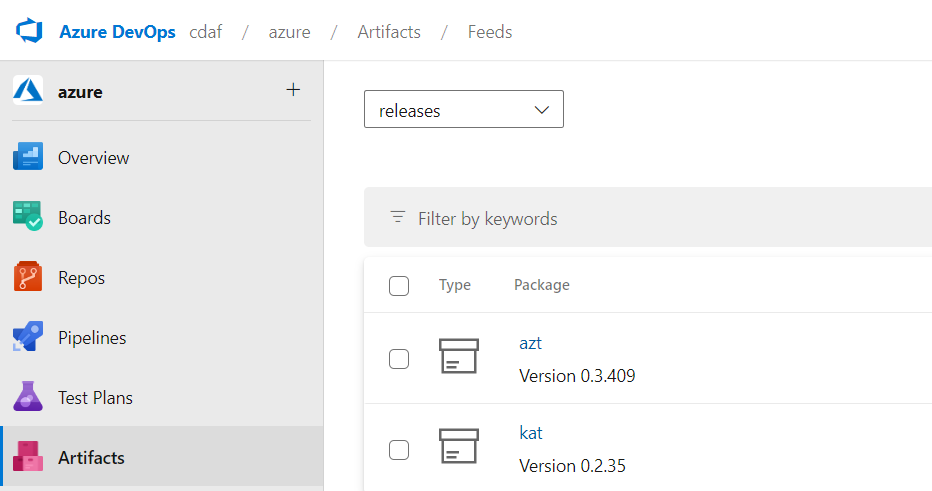
Artefact Registry : a store of immutable artefacts, not code (repository). These are strictly versioned and ideally offer the ability to download the latest version.
In my Sprint Zero approach, I espouse the creation of an end-to-end, do-nothing pipeline before any development begins. The final stage of this pipeline should be to push the deployable artefact to the Artefact Registry.
By doing this, a known production state is available as feedback to the developers and testers, by getting the latest version from the Artefact Registry.
Consistent Ways of Working
If this approach is applied consistently between your infrastructure, configuration management and software developers, an automated view of the Production environment is automatically available, without having to inspect the current state of each contributing pipeline.
By combining these deployable assets, users have the ability to create a full-stack, production-like environment on demand. This could be wrapped in a graphical user interface or simply run from the command-line.
Artefact Registries
Each registry vendor has different names for general purpose stores, in Azure DevOps it’s called Universal, in GitLab it’s called Generic and in Nexus it’s called Raw.
Closing note: in the above example provided, there is an Infrastructure-as-Code (IaC)/configuration management deployment package (AZT) and software deployment package (KAT). The software deployment package is a manifest driven, desired state, deployment of containers, the container image publication is not captured in the artefact store as the image build pipeline does not reflect any target environment state.
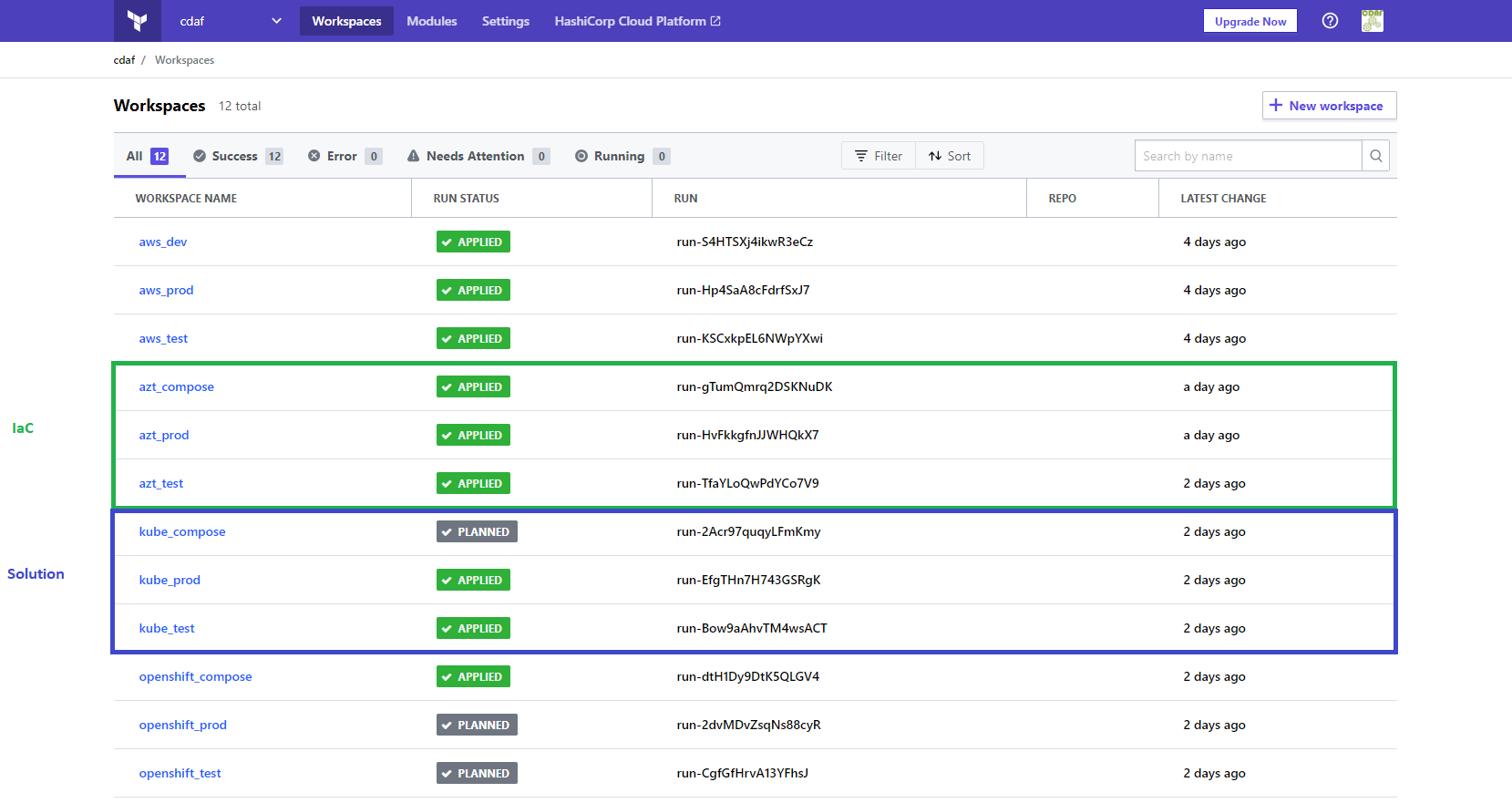
For detailed example the creation and usage of the release artefacts in this article see Terraform Cloud Release Train.
Development & Release
DevOps is not a role or product, it’s a principle. With competing desires, i.e. autonomous vs. authoritative, Development and Operations can have different perspectives and these tools can help provide a viewpoint for operations, driven from a “source of truth”.
Development Pipelines
When speaking of Continuous Integration and Continuous Deployment (CI/CD), the conversations are typically developer centric. However, in enterprise environments, Continuous Delivery is more likely the reality, and it is desirable to be able to deliver a release without the involvement of the feature developers, as there may be many different teams contributing to the solution. Orchestrating these individuals for a release deployment can be a scheduling challenge and distracts those teams from their core purpose.
To gather these distributed concerns, it is common to try and apply processes, procedures, governance and standardisation at the development level, which is an Agile anti-pattern. So to provide developer freedom with the release predictability required, these two concerns are divided in autonomy and authority.
Autonomous Development
The key difference from developer centric approaches is that the development teams do not deploy to user environments, instead the end of the development delivery pipeline results in pushing an immutable image to the registry. The development teams can use whatever source control and branch strategy they choose, e.g. Git Flow, Simple Branch Plans, Feature Branches, etc. In this example the development team are using GitHub Actions to build (Docker), test (docker-compose) and publish their component, see Containers at Scale, A Containers Journey.
The published image may not the build image, but it must be the production ready (optimised and hardened) image which was verified in the test process.
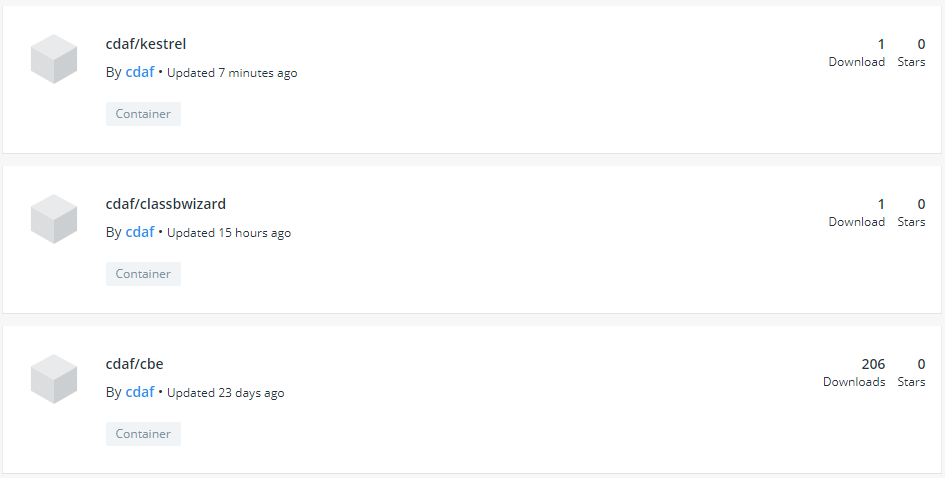
Each component or micro service is delivered to the central catalogue, in this example, Docker Hub, but this could be any Open Container Initiative (OCI) Registry, either public or private.
Delivery Pipelines
With the Container Registry being the nexus of the autonomous development teams, now the release definition at a solution level can be declared. This codifies the release, whereas a manual release may involve spreadsheets and workbook documents, the implementation of the release is abstracted by the automation tool, in this case Terraform.
Infrastructure as Code (IaC)
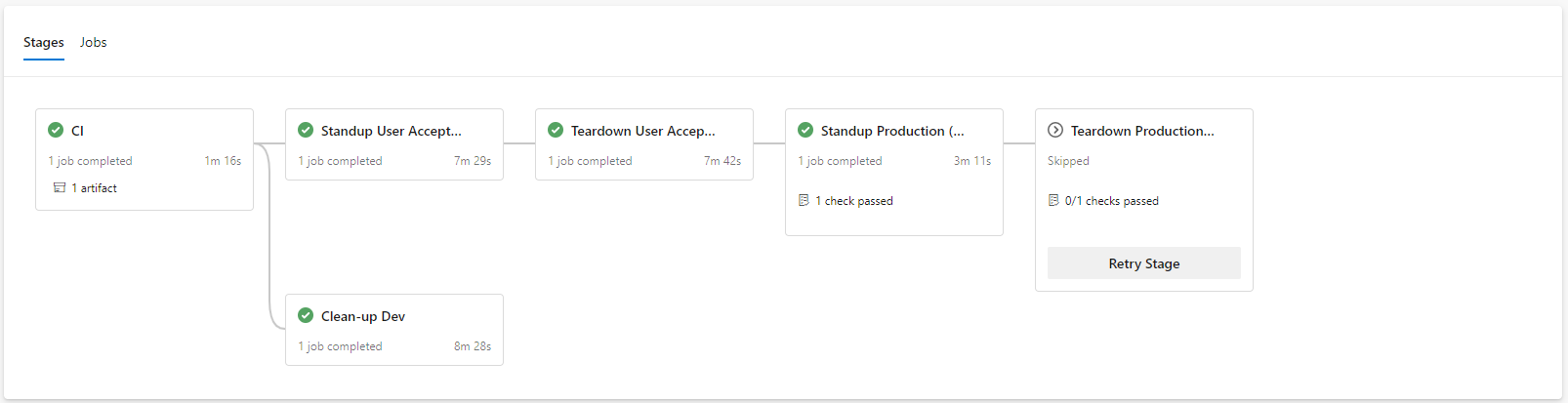
This is the common use case of Terraform. In this example, the delivery of the Kubernetes platform is executed from an Azure DevOps pipeline using a 12-Factor approach, with feature branch development. Releases to production are only based on master and implemented with gating. When a feature is complete and the pull request (PR) processed, the environment created for the feature branch is destroyed (“clean-up Dev”).
Authoritative Deployment
While Terraform is considered an infrastructure tool, what it actually is, is a flexible, declarative desired state engine. So while it can be utilised to deliver and manage a Kubernetes platform in Azure, it can also be used to deploy applications to the resulting Kubernetes platform. The components are declared as a desired state and applied via the solution pipeline, which may deploy one or more images from the development teams. In this example, the solution deployment development is performed using feature branches and pull requests.
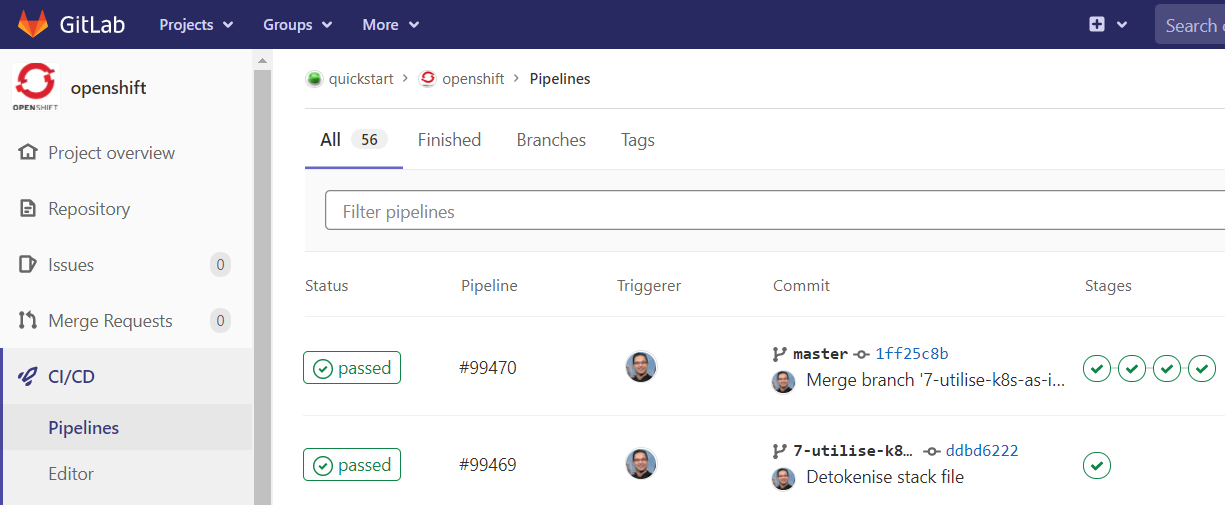
In this example, the solution delivery is executed from a, GitLab Pipeline with approval gates.
Viewpoints
Each of the viewpoints above are development oriented, so where is the operations pane-of-glass? This is where the intermediary adds value. All solutions in Terraform require a persistent store for state. There are many choices from the default local file system, to public cloud, however the Terraform Cloud offering provides the following advantages:
persistent storage independent of any provider, e.g. to use AWS you need to create an S3 bucket, which is infrastructure, which you should do via code, but the code would then need an S3 bucket, therein lies a paradox
SaaS offering, no maintenance required
Execution visibility, regardless of source
The last advantage provides the operational visibility. All of the delivery pipelines send their requests, be it IaC or solution via the Terraform Cloud, therefore a complete view of all executions, regardless of pipeline, are visible to the operations team.
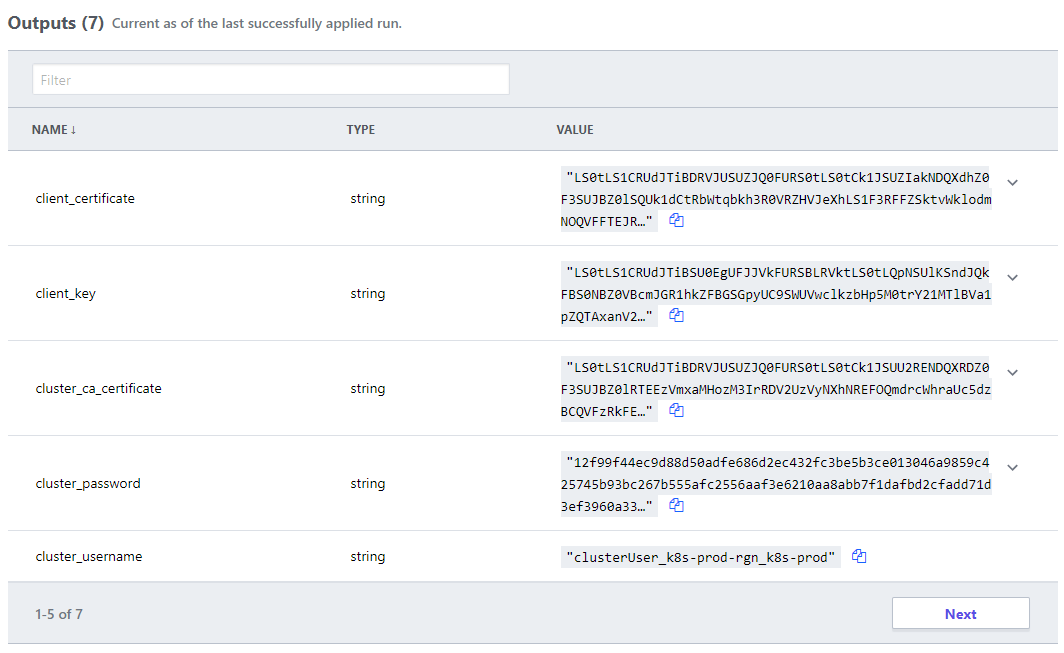
Secret management for all solution are combined into the Terraform SaaS, satisfying any separation of duty requirements, and any dynamically generated attributes that the development team would need to handover to operations is defined as code, and available to authenticated users.
Conclusion
Exploit your available tools to provide separation of concerns while providing transparency.
Don’t let governance stifle creativity, while ensuring freedom doesn’t lead to anarchy.
Plan for scale and complexity, “we’ll automate that later” commonly leads to “automation never”, after all the building is only as sound as it’s foundations.
What Next?
See Declarative Release for implementation examples, which incorporate intermediary tools such Ansible Tower, Puppet Enterprise and Terraform Cloud.
Branch Plans
Alternate Branch Strategies
Different branch plans do not explicitly define deployment approaches, however, there are common associative methods for each plan, which are described in the subsequent pages. This page provides the baseline terminology that will be used in the remainder of this material.
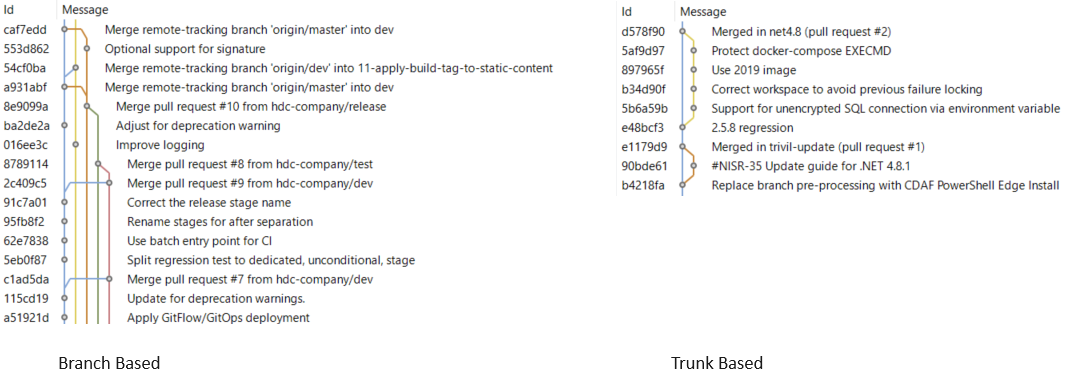
Trunk Based
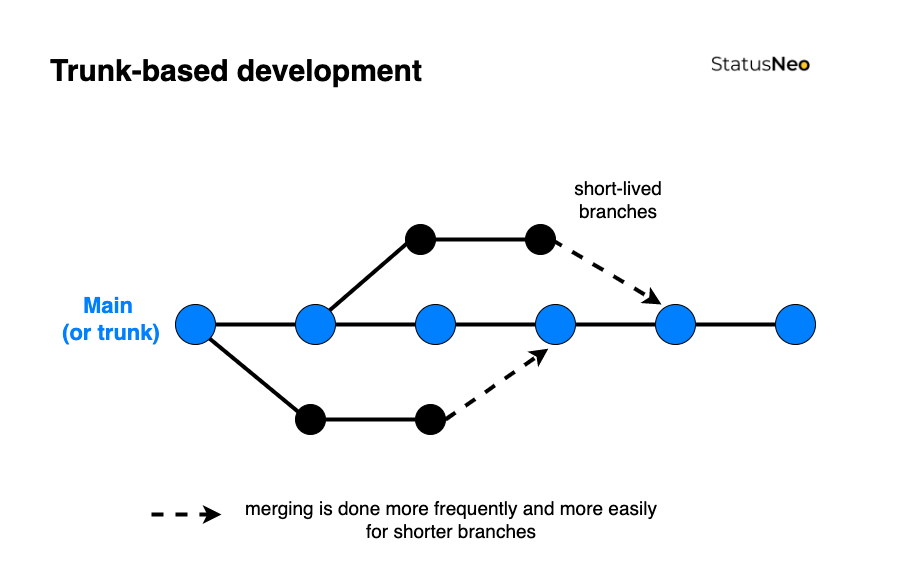
Commonly referred to as Trunk Based Development. This is the simplest strategy and is commonly synonymous with Continuous Delivery (more on this to come). The only long running branch is main.
Simple Branch Plans
This branch strategy has been promoted by Microsoft, and is fundamental in their deploy process within Visual Studio. with two (or sometimes more) long-lived branches, e.g. main being used for test and release being used for production. Each additional environment requires another branch.
GitFlow
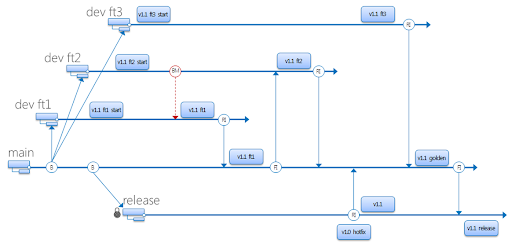
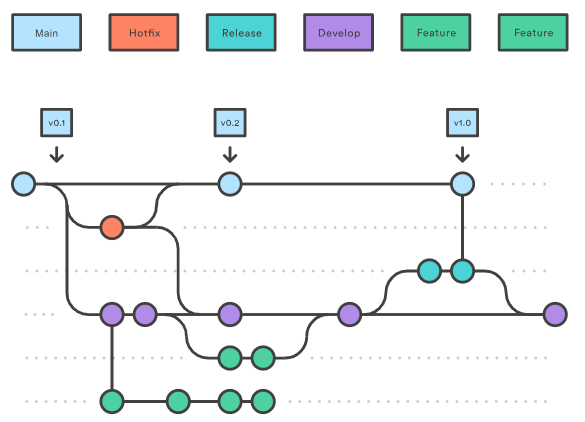
Originating from distributed source control systems, with prolonged disconnection. The majority of source control tools provided now are centralised server solutions, which obfuscate the underlying distributed architecture. GitFlow has continued, while being adjusted to use Pull Request/Merge Request to merge between branches. This typically has many long-lived branches, e.g. main, develop, release, hot-fix.
Continuous Delivery (CD) decouples the release activity from development activity. Unlike Continuous Deployment, Continuous Delivery has one or more approval gates. At time of writing, the majority of pipeline tools support approval gates, with the exception of the GitHub Free tier.
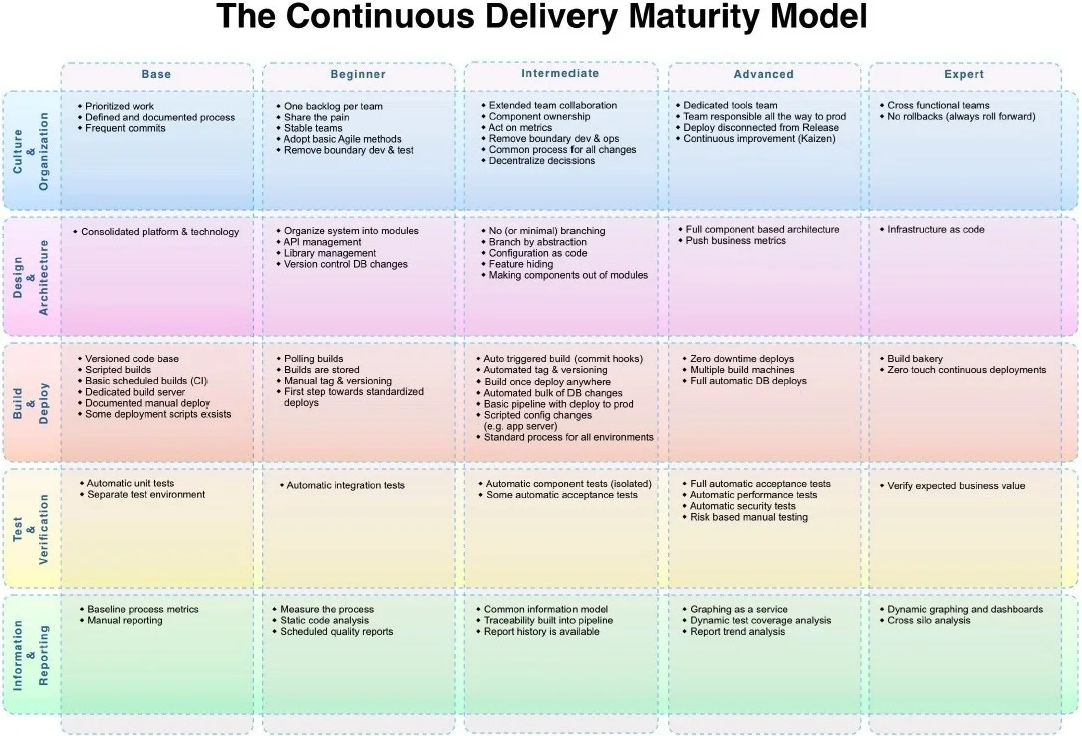
The Continuous Delivery Maturity Model
A fundamental aspect of Continuous Delivery is to build once and deploy many times. This means the output of the development process (Continuous Integration) is an artefact which can be re-used to deploy to multiple environments. The artefact represents the Release. Once this artefact is produced, the developer input is complete, and a non-development user, i.e. Test Managed or Product Owner can promote the release through various environments to production.
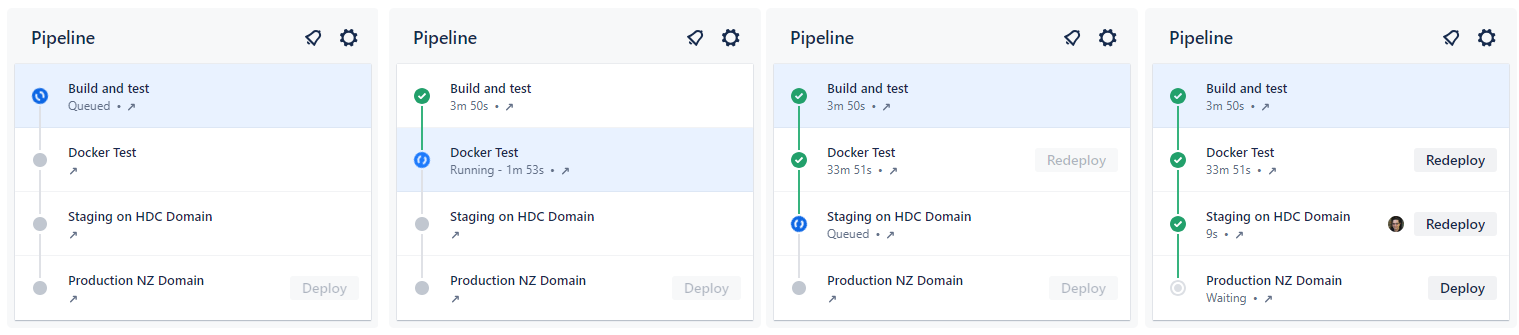
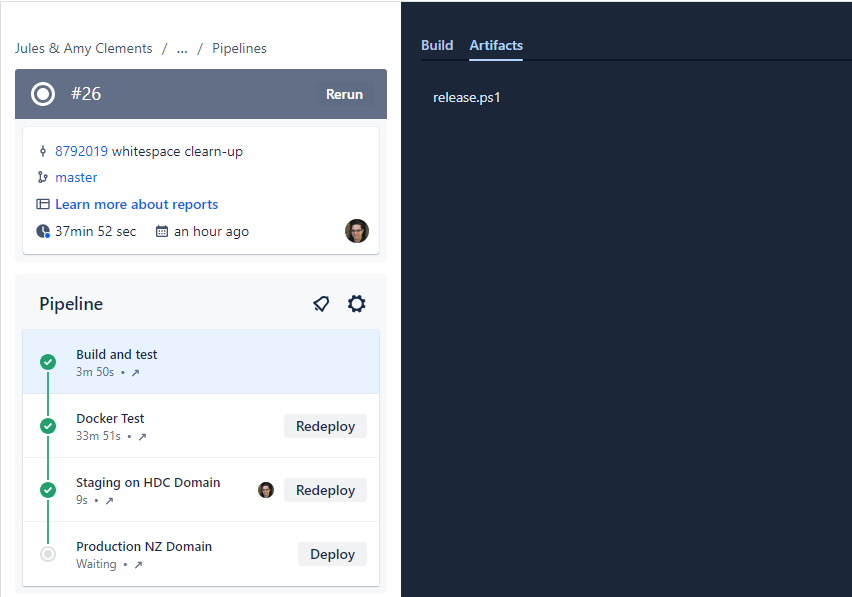
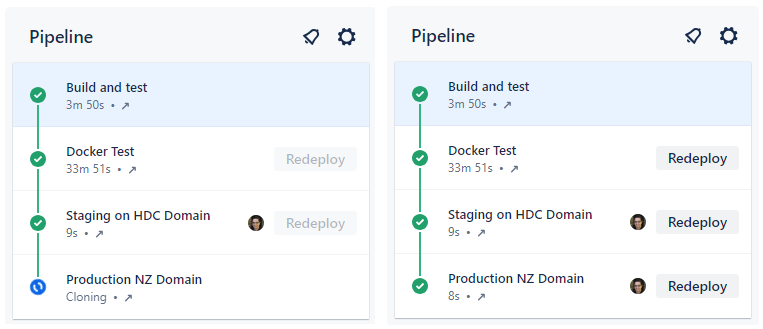
In this example, the first stage is Continuous Integration (CI) which produces the release. Each stage after that is automatically executed, with an integration test stage, and then deployment to the staging environment. After the deployment to staging, the pipeline stop, awaiting approval.
The release artefact in this example is #26, and this is re-used in each deployment phase.
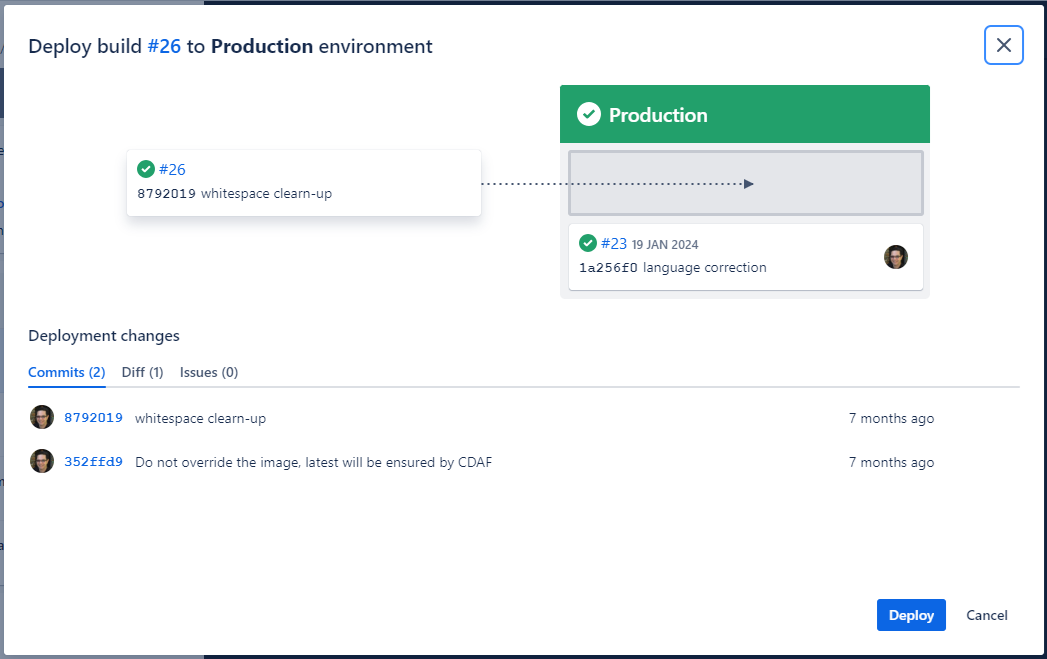
The approval gate advises the approver of what release is currently in production (#23) and what release will be deployed.
Once approved, the same artefact that was tested, is now promoted to Production, completing the pipeline.
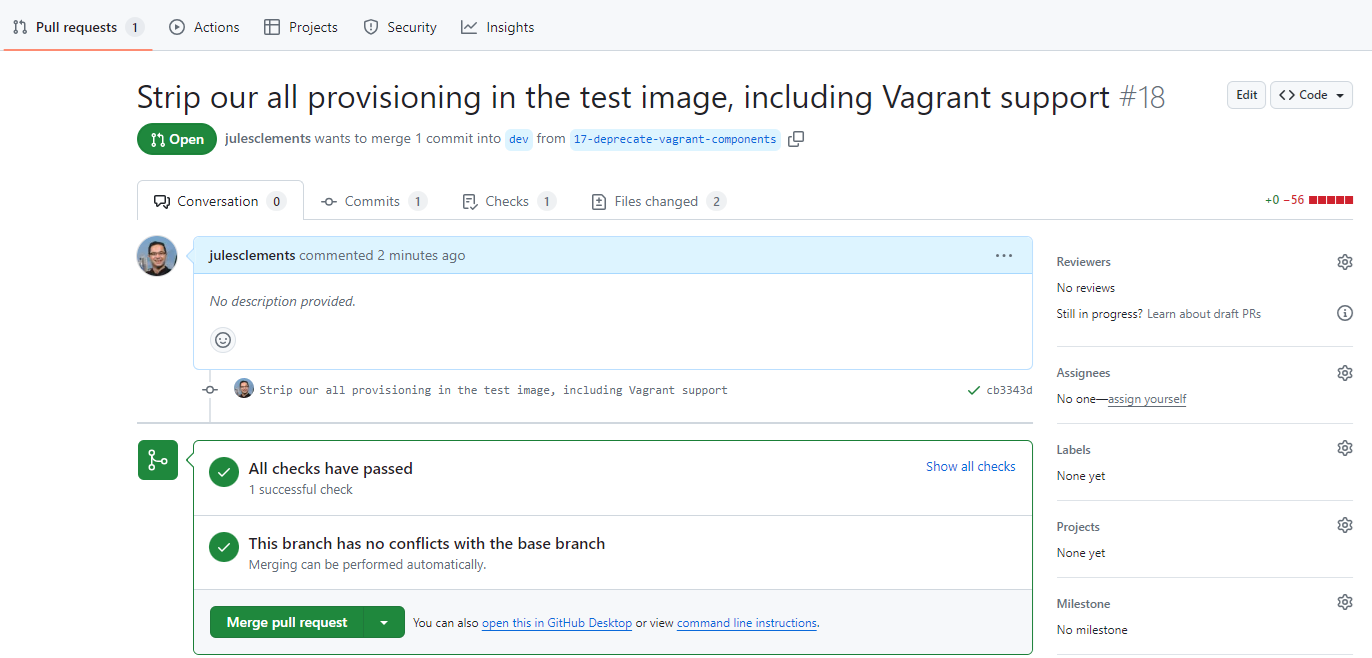
Where the pipeline tool does not support approval gating, but a review and approval mechanism is desired, the “Pull Request”/“Merge Request” can be used. The resulting approval will rebuild the solution and deliver it to the defined environment.
Branch Based Deployment
There are a variety of methods used within a branch based deployment approach, the following is a common example.
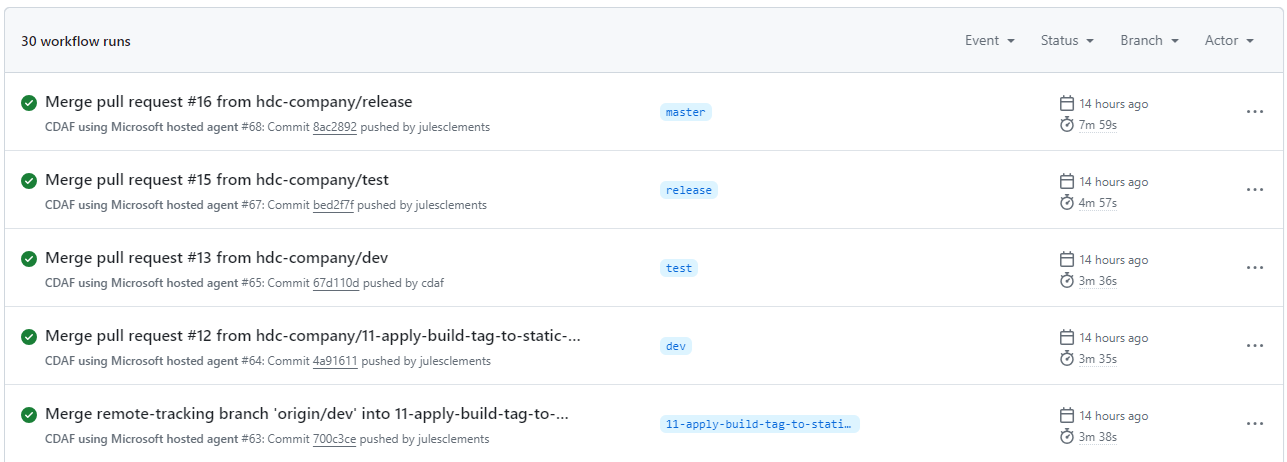
A long-living branch is defined for each target environment, in this example dev, test and release. A source of truth branch exists (main) which does not trigger a deployment.
Unlike Continuous Delivery, a separate build is created for each environment, e.g. #64 in development, #65 in acceptance test, etc.
The long-lived branches provide a high level of concurrency and flexibility to skip stages, or deploy a selected feature or fix (known as “Cherry-picking”).
To “promote” changes from feature to development, then on to test and production, a pull request is raised for each stage. In this scenario it is typically a fellow developer that reviews and approves the change, and not a business user, i.e. Product Owner.
The merge triggers the corresponding build and deploy for the target branch/environment.
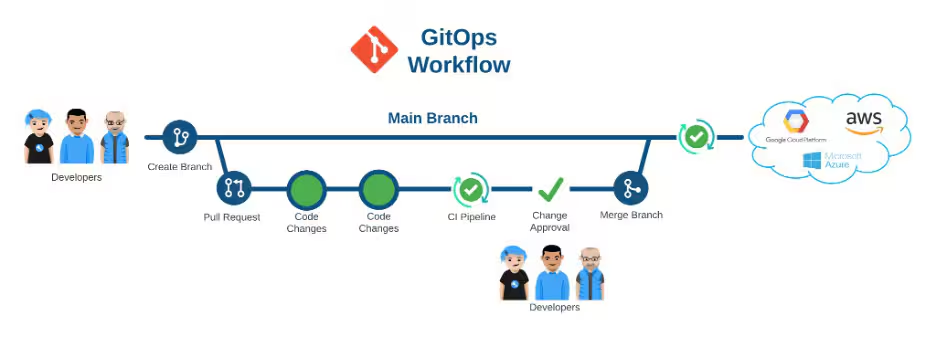
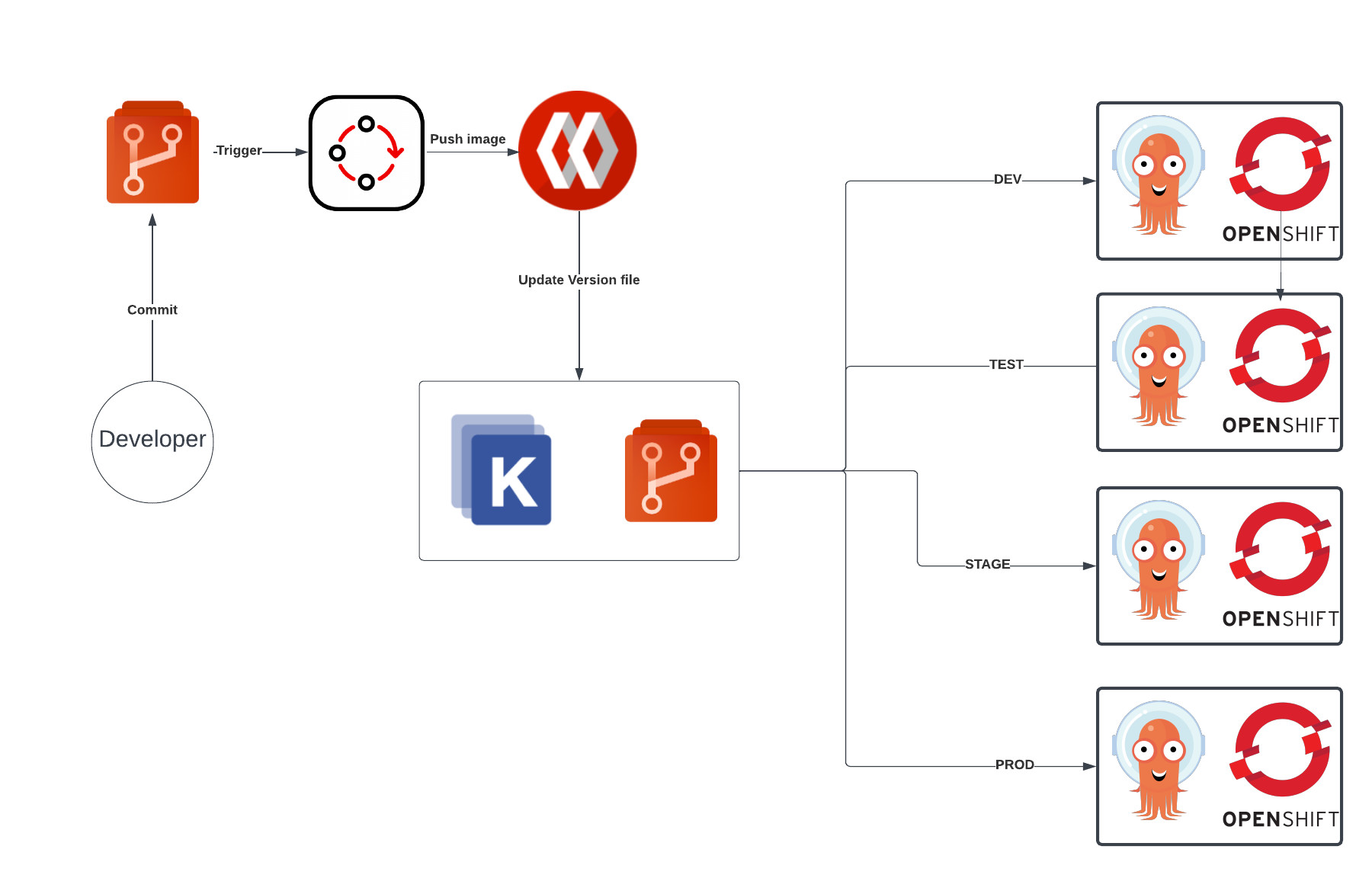
GitOps is another branch based deployment approach, however it typically does not have a Continuous Integration construct, and instead deploys directly from source control.
Branch Based Deployment Directly from Source Control
GitOps is commonly portrayed as Trunk Based
Each target environment maybe defined as a directory, but in many some cases, i.e. to provide a gating mechanism, like Branch Based Deployment, multiple long-lived branches are used.