Previous deployment examples, from a release perspective, are imperative. For example, should a solution combine changes in both front-end (React) and back-end (NodeJS), each deployment would need to be coordinated manually to perform a Release.
Based on the Autonomous Development, Authoritative Release approach, instead of each application component deploying separately, they produce a deployable asset, and the solution is released authoritatively. The Autonomous Development pipeline outputs an immutable, versioned, environment agnostic, deployable asset. For example, an image in a Container Registry, a WAR/JAR file in Nexus/Artifactory, or a versioned zip file in a generic package store (Azure DevOps, GitLab, GitHub, etc.). This approach is based on the build once, deploy many Continuous Delivery Maturity Model.
The need to deploy these components based on the declaration is the responsibliilty of the desired state engine. the following examples are covered in this section:
Creating an artefact for compiled languages is well understood, and is an integral part of software delivery for languages such as .NET, Java and Typescript, however, for interpretive languages (Python, Ruby, PHP, Javascript), because the code in source control can be run without a “build”, it is tempting to deploy from source control. This has the following challenges:
Fulfilling dependencies in production environment, can have network issues and, even with lock files, can result is different runtime outcomes.
Manual steps are required as branches are used to separate environments, e.g. test, staging, production. Which requires deploy-time developer effort and can lead to errors, i.e. untested code being merged into production.
Package & Publish
Resolving dependencies at build time, adding any other runtime components and creating an immutable package for deployment can be achieved using the CDAF technology-agnostic package mechanism. The “build” artefact completes the development team’s Continuous Integration (CI) stage.
The Continuous Delivery (CD) would be limited to automated testing of the package, and then publication. Publication can be to a Container Registry, Package Registry (Nexus, Artifactory, Azure DevOps, GitLab, GitHub, etc.) or a proprietary asset registry such as Octopus Deploy or Mulesoft AnyPoint Exchange. The following example uses a Container Registry.
The following overview has two examples, one using the CDAF release package with automated testing, and one performing direct image build and push.
pip resolves Python dependencies, and gathers these, along with helper scripts, to produce a release package. The release package is then used to construct a runtime image, which in turn is smoke tested using docker-compose. The tested image is then pushed to the registry.
NPM resolves NodeJS dependencies, builds an image and pushes it to the registry.
graph LR

  subgraph python["Python"]
    python-git[(Git)]
    python-build-artefact[(Build)]
    python-release.ps1
    subgraph docker-compose
      image-container
      test-container
    end
    push
  end

  subgraph node["NodeJS"]
    node-git[(Git)]
    node-build
    node-push["push"]
  end

  registry[(Docker Registry)]

  python-git -- "CI (pip)" -->
  python-build-artefact -- "CD" -->
  python-release.ps1 -->
  image-container -->
  push --> registry
  test-container -. "smoke test" .-> image-container

  node-git -- "CI (NPM)" -->
  node-build -->
  node-push --> registry

classDef dashed stroke-dasharray: 5, 5
class python,node dashed

classDef dotted stroke-dasharray: 2, 2
class docker-compose dotted

classDef blue fill:#007FFF
class registry blue
Note: the Python release.ps1 is an intermediary artefact, and not used to deploy to the runtime environments.
A declarative deployment ensures all components are Released in a predictable way, with the assurance the same combination of component versions that were tested align with what is released.
Release Manifest
The release contains a manifest of components and their version. This is the release declaration. The deployment is responsible for ensuring these components are applied at as declared at each promotion stage, e.g. test, staging, production. In the flow below, the release is continuously deployed through to staging, but continuously deployed, i.e. gated, to production.
For each deployment, the same image is used to create the running container.
flowchart LR
  registry[(Docker Registry)]

  subgraph test
    p1["Python v0.2.135"] ~~~
    n1["NodeJS v1.0.3"]
  end

  subgraph staging
    p2["Python v0.2.135"] ~~~
    n2["NodeJS v1.0.3"]
  end

  subgraph production
    p3["Python v0.2.135"] ~~~
    n3["NodeJS v1.0.3"]
  end

  test -- "auto promote" --> staging
  staging -- "gated promote" --> production

  registry --> test
  registry --> staging
  registry --> production

classDef blue fill:#007FFF
class registry blue
For context see Behaviour Tests as a Product. The development of test automation is autonomous and is not tightly coupled with the solution development. When the solution is ready to execute a set of tests, the versioned package is obtained and executed.
Environment Definitions
Configuration Management within the source allows for test execution by simply invoking the test package for the desired environment, e.g. ./package.ps1 PROD, or targeted testing ./package.ps1 PROD_WEB
context  target      testSuite       featureSet  resources                                 secrets
local    PROD_CLASS  SpecFlow.Specs  data        supabase                                  creds_prd
local    PROD_WEB_1  Selenium.Specs  login       https://example.com/Calculator.html       vault_prd
local    PROD_WEB_2  Selenium.Specs  dashboard   https://example.com/Calculator.html

local    TEST_CLASS  SpecFlow.Specs  data        supabase                                  creds_tst
local    PROD_WEB_1  Selenium.Specs  login       https://test.example.com/Calculator.html  vault_tst
local    PROD_WEB_2  Selenium.Specs  dashboard   https://test.example.com/Calculator.html
The delivery phase of the pipeline pushes the package to a registry, with a semantic version. It is these versions that the solution delivery process can consume to provide predictable test results.
graph LR

  subgraph Component A
    Rbuild["Build"] -->
    Rtest["Test"] -->
    Rpublish["Publish</br>1.0.1"]
  end
  subgraph Component B
    Pbuild["Build"] -->
    Ptest["Test"] -->
    Ppublish["Publish</br>0.5.9"]
  end
  subgraph Test Product
    Sbuild["Build"] -->
    Stest["Test"] -->
    Spublish["Publish</br>1.2.0"]
  end

  subgraph Release
    TEST:::release
    PROD:::release
  end

  store[(Registry)]

  Rpublish --> store
  Ppublish --> store
  Spublish --> store
  store --> TEST
  TEST --> PROD

classDef release fill:lightgreen
In this example, current production tests are at version 1.1.0. While the next release of 1.2.0 is in progressing through the development lifecycle, the scheduled tests can still consume version 1.1.0 with confidence. The scheduled tests may have a reduced scope, i.e. web only, this is where the ability to select a subset is valuable, e.g. ./package.ps1 PROD_WEB.
How to Helm
Declarative Desired State Container Deployment using Helm
This is an alternative implementation to Terraform Application Stack, using Helm instead of Terraform, but with the same core principles of runtime versioning and desired state.
The Application Stack can be defined once, and deployed many times into separate namespaces, e.g. development, test and production.
graph TD

  subgraph k8s["Kubernetes"]
    subgraph ns1["Dev namespace"]
      ns1-ingress["ingress"]
      subgraph ns1-pod-1["Pod"]
        ns1-con-a["container"]
      end
      subgraph ns1-pod-2["Pod"]
        ns1-con-b["container"]
        ns1-con-c["container"]
      end
    end
    subgraph ns2["Test namespace"]
      ns2-ingress["ingress"]
      subgraph ns2-pod-1["Pod"]
        ns2-con-a["container"]
      end
      subgraph ns2-pod-2["Pod"]
        ns2-con-b["container"]
        ns2-con-c["container"]
      end
    end
    subgraph ns3["Production namespace"]
      ns3-ingress["ingress"]
      subgraph ns3-pod-1["Pod"]
        ns3-con-a["container"]
      end
      subgraph ns3-pod-2["Pod"]
        ns3-con-b["container"]
        ns3-con-c["container"]
      end
    end
  end

  client -->
  ns1-ingress --> ns1-con-a
  ns1-ingress -->
  ns1-con-b --> ns1-con-c

  client -->
  ns2-ingress --> ns2-con-a
  ns2-ingress -->
  ns2-con-b --> ns2-con-c

  client -->
  ns3-ingress --> ns3-con-a
  ns3-ingress -->
  ns3-con-b --> ns3-con-c

classDef external fill:lightblue
class client external

classDef dashed stroke-dasharray: 5, 5
class ns1,ns2,ns3 dashed

classDef dotted stroke-dasharray: 2, 2
class ns1-pod-1,ns1-pod-2,ns2-pod-1,ns2-pod-2,ns3-pod-1,ns3-pod-2 dotted
Kubernetes configuration can be performed via imperative command line or declarative YAML files. While OpenShift provides a user interface to allow manual configuration of the Kubernetes cluster, which is ideal for discovery and development purposes, but is not sustainable in a production solution.
While Kubernetes YAML definitions are declarative, it is laborious have multiple copies for similar deployment patterns and multiple target environments. The most fundamental declaration is a deployment, which defines what containers are to be deployed.
To avoid proliferation of YAML definitions, and provide flexibility to alter deployment specific aspects, Helm was introduced. Helm provides a template for deployments, which can be re-used for multiple applications across multiple environments.
graph TD

    subgraph test
        subgraph app1
        serv1["service"]
        app1-pod["pod"]
        end
        subgraph app2
        serv2["service"]
        app2-pod["pod"]
        end
    end

    subgraph prod
        subgraph app3
        serv3["service"]
        app3-pod["pod"]
        end
        subgraph app4
        serv4["service"]
        app4-pod["pod"]
        end
    end

  serv1 --> app1-pod
  serv2 --> app2-pod

  serv3 --> app3-pod
  serv4 --> app4-pod

classDef dotted stroke-dasharray: 2, 2
class test,prod dotted

classDef dashed stroke-dasharray: 5, 5
class app1,app2,app3,app4 dashed
Deploying each application, in each environment, requires imperative knowledge of what steps are needed to achieve the desired outcome. See Desired State releases, rather than imperative.
The following example is relatively complicated and doesn’t serve well as a learning exercise.
Use the Helm Getting Started material to create a template which has all the appropriate structure and some example charts.
Note
The template does not work in OpenShift because the root-less containers do not allow Nginx to bind to port 80.
How Helm Works
Using the previous YAML example, all of the elements that we want to re-use for multiple apps, or configure differently for progressive environments, are defined as properties. This is the basis of the files that make up the template.
apiVersion: apps/v1kind: Deploymentmetadata:
name: {{ include "Chart.fullname" . }}labels:
{{- include "Chart.labels" . | nindent 4 }}spec:
{{- if not .Values.autoscaling.enabled }}replicas: {{ .Values.replicaCount }} {{- end }}selector:
matchLabels:
{{- include "Chart.labels" . | nindent 6 }}template:
metadata:
labels:
{{- include "Chart.labels" . | nindent 8 }}spec:
containers:
- name: {{ .Chart.Name }}image: "{{ .Values.image.repository }}:{{ .Values.image.tag | default .Chart.AppVersion }}"ports:
- containerPort: {{ .Values.service.port }}
There are two files used with the templates to apply deploy time settings, the Chart.yaml, which is included with the template implements the DRY principle, i.e. Don’t Repeat Yourself. Where literals that are applied repeatedly across the template are defined.
Chart.yaml
apiVersion: v2name: nginx-containerfullname: nginx-deploymentdescription: A Helm chart for KubernetesappVersion: "1.16.0"labels:
app: nginx
A values file is used at deploy time to allow the re-use of the template across multiple applications, and environments.
To avoid the creation of multiple values YAML files, and the inherent structural drift of those files, a single file should be defined with tokenised settings. The CDAF configuration management feature can be used to provide a human readable settings definition which gives an abstraction from the complexity of the Helm files.
example.cm
context    target  replicaCount  port
container  LINUX   1             8081
container  dev     1             8080
container  TEST    2             8001
container  PROD    2             8000
Now the values YAML contains tokens for deploy time replacement.
To provide Helm charts as a re-usable asset, Helm provides versioning and packaging. The resulting versioned packages can be consumed by multiple applications and environments. To ensure the release package is consistent and repeatable, the Helm packages are downloaded at build (CI) and not during deployment (CD). The packages are included in the release package so there are no external dependencies at deploy time.
The Helm registry
Helm command line can create the packaged templates and the required index file.
helm package $chart_name --destination public
helm repo index public
The resulting files and index.yaml files are placed on a web server to provide the repository service, e.g.
apiVersion: v1entries:
internal-service:
- apiVersion: v2appVersion: 1.16.0created: "2022-08-11T08:51:15.763749822Z"description: Use Values for Container Namedigest: 9a0cf4c0989e3921bd9b4d2e982417c3eac04f5863feb0439ad52a9f1d6ffeb9name: internal-servicetype: applicationurls:
- internal-service-0.0.1.tgzversion: 0.0.1kiali-dashboard:
- apiVersion: v2appVersion: 1.16.0created: "2022-08-11T08:51:15.764037805Z"description: Use Values for Container Namedigest: aa65089080e3e04a6560a1f3b70fc8861609d8693c279b10154264a9fe9fc794name: kiali-dashboardtype: applicationurls:
- kiali-dashboard-0.0.2.tgzversion: 0.0.2
To manage an application stack holistically, a Declaration is required. From this declaration, desired state can be calculated, i.e. what changes need to be made for an environment to be aligned to the declaration. The tool used in this example is Helmsman, however, another tool, Helmfile has fundamentally the same configuration constructs. Each gather one or more Helm applications to create an application stack. Only the necessary components will be updated if a change is determined, based on a calculated state change.
graph TD
  subgraph Test
    subgraph stack1["Declaration"]
      subgraph app1["Helmchart"]
        serv1["service"]
        appt1["pod"]
      end
      subgraph app2["Helmchart"]
        serv2["service"]
        appp2["pod"]
      end
    end
  end

  subgraph Prod
   subgraph stack2["Declaration"]
      subgraph app3["Helmchart"]
        serv3["service"]
        appt3["pod"]
      end
      subgraph app4["Helmchart"]
        serv4["service"]
        appp4["pod"]
      end
    end
  end

  serv1 --> appt1
  serv2 --> appp2

  serv3 --> appt3
  serv4 --> appp4

classDef AppStack fill:LightBlue
class stack1,stack2 AppStack

classDef dotted stroke-dasharray: 2, 2
class stack1,stack2 dotted

classDef dashed stroke-dasharray: 5, 5
class app1,app2,app3,app4 dashed
The build-time process uses the declaration to determine the Helm charts that are required at deploy time. These are downloaded and included in the package, this has the advantage of not having to manage registry access at deploy time and ensures the charts are immutable within the release package.
There is no “compiled” output for the source files described above, so the self-contained release package capability of Continuous Delivery Automation Framework (CDAF) is used to produce a portable, re-usable deployment artefact, i.e. build once, deploy many.
graph LR

  subgraph ci["Continuous Integration"]
    persist[(persist)]
  end

  release.ps1

  subgraph cd["Continuous Delivery"]
    test
    prod
  end

  persist -->
  release.ps1 --> test
  release.ps1 --> prod

classDef blue fill:#007FFF
class release.ps1 blue

classDef dashed stroke-dasharray: 5, 5
class ci,cd dashed
The deployment uses an Environment argument is a symbolic link to the settings that need to be detokenised at deploy time, e.g.
This example is the deploy time process for Helmsman, although it is fundamentally the same for Helmfile. The tokenised application stack declaration is de-tokenised to apply the correct name_space at deploy time.
helm.tsk
sed -i -- "s•name_space•*****•g" ranger.yaml
the resulting deployment
helmsman --apply -f ranger.yaml ranger-chart
 _ _
| | | |
| |__ ___| |_ __ ___ ___ _ __ ___ __ _ _ __
| '_ \ / _ \ | '_ ` _ \/ __| '_ ` _ \ / _` | '_ \
| | | | __/ | | | | | \__ \ | | | | | (_| | | | |
|_| |_|\___|_|_| |_| |_|___/_| |_| |_|\__,_|_| |_| version: v3.11.0

Helm-Charts-as-Code tool.
WARNING: helm diff not found, using kubectl diff

INFO: Parsed [[ ranger.yaml ]] successfully and found [ 1 ] apps
INFO: Validating desired state definition
INFO: Setting up kubectl
INFO: Setting up helm
INFO: Setting up namespaces
INFO: Getting chart information
INFO: Chart [ /solution/deploy/ranger-chart ] with version [ 0.1.0 ] was found locally.
INFO: Charts validated.
INFO: Preparing plan
INFO: Acquiring current Helm state from cluster
INFO: Checking if any Helmsman managed releases are no longer tracked by your desired state ...
INFO: No untracked releases found

NOTICE: -------- PLAN starts here --------------
NOTICE: Release [ ranger ] in namespace [ test ] will be installed using version [ 0.1.0 ] -- priority: 0
NOTICE: -------- PLAN ends here --------------

INFO: Executing plan
NOTICE: Install release [ ranger ] version [ 0.1.0 ] in namespace [ test ]
NOTICE: Release "ranger" does not exist. Installing it now.
NAME: ranger
LAST DEPLOYED: Sun Aug 7 03:42:51 2022
NAMESPACE: test
STATUS: deployed
REVISION: 1
NOTES:

1. Get the application URL by running these commands:
 export POD_NAME=$(kubectl get pods --namespace test -l "app.kubernetes.io/name=ranger-chart,app.kubernetes.io/instance=ranger" -o jsonpath="{.items[0].metadata.name}")
 export CONTAINER_PORT=$(kubectl get pod --namespace test $POD_NAME -o jsonpath="{.spec.containers[0].ports[0].containerPort}")
 echo "Visit http://127.0.0.1:8080 to use your application"
 kubectl --namespace test port-forward $POD_NAME 8080:$CONTAINER_PORT

NOTICE: Finished: Install release [ ranger ] version [ 0.1.0 ] in namespace [ test ]
The key to using Helm charts rather than simply authoring Kubernetes YAML definitions is the use of templates. This way a deployment pattern can be defined once, with only the deploy time, application specific, values being changed.
From the Helm template the health probes are hard coded, replace these with shared definitions, .Values.service.port & .Values.service.probeContext.
The .Values.service.port is already defined in the generated values file, but .Values.service.probeContext is not, so add this to the values definition.
values.yaml
service:
type: ClusterIPport: 8000probeContext: /
Now replace single values file with a file for each application being deployed based on this pattern. Create additional app definitions in Helmsman
Some changes cannot be updated in place, an example of this is the service port. If this is changed, the chart version has be updated or the existing deployment manually removed.
Terraform Kubernetes
Full Stack Release using Terraform
This approach implements the Autonomous Development, Authoritative Release principle, to orchestrate a full stack release, i.e. the automated coordination of Infrastructure as Code, Configuration Management and Application deployment.
This is an alternative implementation to How to Helm, using Terraform instead of Helm, but with the same core principles of runtime versioning and desired state, and the inclusion of the Kubernetes Infrastructure as Code, using a single language, i.e. Terraform.
The Application Stack can be defined once, and deployed many times into separate namespaces, e.g. development, test and production.
graph TD

  subgraph k8s["Kubernetes"]
    subgraph ns1["Dev namespace"]
      ns1-ingress["ingress"]
      subgraph ns1-pod-1["Pod"]
        ns1-con-a["container"]
      end
      subgraph ns1-pod-2["Pod"]
        ns1-con-b["container"]
        ns1-con-c["container"]
      end
    end
    subgraph ns2["Test namespace"]
      ns2-ingress["ingress"]
      subgraph ns2-pod-1["Pod"]
        ns2-con-a["container"]
      end
      subgraph ns2-pod-2["Pod"]
        ns2-con-b["container"]
        ns2-con-c["container"]
      end
    end
    subgraph ns3["Production namespace"]
      ns3-ingress["ingress"]
      subgraph ns3-pod-1["Pod"]
        ns3-con-a["container"]
      end
      subgraph ns3-pod-2["Pod"]
        ns3-con-b["container"]
        ns3-con-c["container"]
      end
    end
  end

  client -->
  ns1-ingress --> ns1-con-a
  ns1-ingress -->
  ns1-con-b --> ns1-con-c

  client -->
  ns2-ingress --> ns2-con-a
  ns2-ingress -->
  ns2-con-b --> ns2-con-c

  client -->
  ns3-ingress --> ns3-con-a
  ns3-ingress -->
  ns3-con-b --> ns3-con-c

classDef external fill:lightblue
class client external

classDef dashed stroke-dasharray: 5, 5
class ns1,ns2,ns3 dashed

classDef dotted stroke-dasharray: 2, 2
class ns1-pod-1,ns1-pod-2,ns2-pod-1,ns2-pod-2,ns3-pod-1,ns3-pod-2 dotted
The key component of the package is the release manifest, this declares the component versions of the solution. The desired state engine (Terraform) will ensure all components for the release align with the declaration in the manifest. These are added to your CDAF.solution file.
While the stack construction is the same in all environments, unique settings for each environment are defined in configuration management files, e.g. properties.cm. The properties management is covered in more detail in the Configuration Management section.
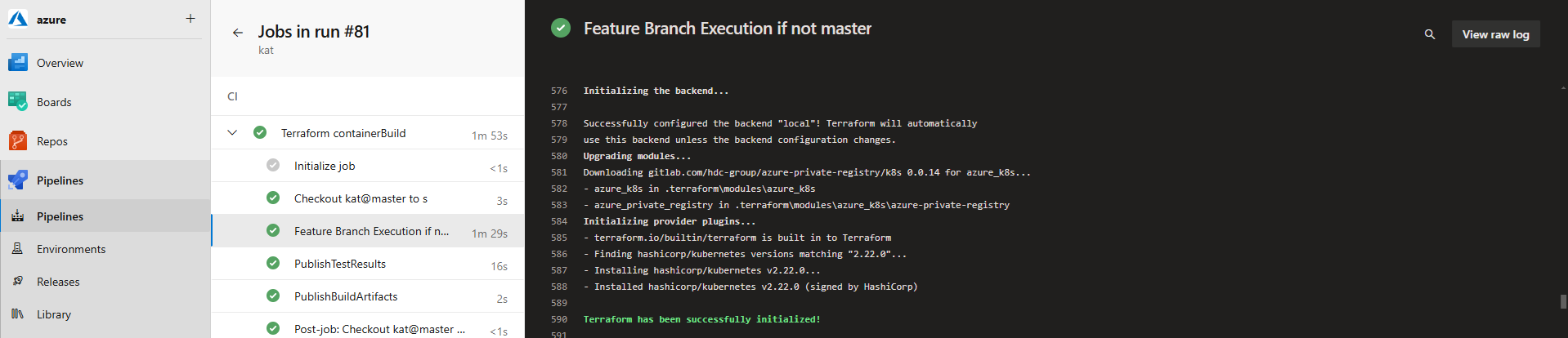
The key construct for the Authoritative Release is that all aspects of the release process are predictable and repeatable. To avoid deploy-time variations in Terraform dependencies, modules are not downloaded at deploy time; instead they are resolved at build time and packaged into an immutable release package. For a consistent way-of-working, the Terraform build process resolves and validates dependencies.
Build-time Module Resolution
Most Terraform module resolution approaches are to pull from source control (Git) or registry at deploy-time, which can require additional credential management, risk unexpected module changes (if tags are used), and introduce potential network connectivity issues. This approach treats modules like software dependencies: resolve them at build time and include them in an all-in-one immutable package.
The following state.tf defines the modules and versions that are required
The following build.tsk triggers module download from a private registry using credentials in TERRAFORM_REGISTRY_TOKEN; these credentials will not be required at deploy time.
Write-Host "[$TASK_NAME] Verify Version`n" -ForegroundColor Cyan
terraform --version
VARCHK
MAKDIR $env:APPDATA\terraform.d
$conf = "$env:APPDATA\terraform.d\credentials.tfrc.json"Set-Content $conf '{'Add-Content $conf ' "credentials": {'Add-Content $conf ' "app.terraform.io": {'Add-Content $conf " `"token`": `"$env:TERRAFORM_REGISTRY_TOKEN`""Add-Content $conf ' }'Add-Content $conf ' }'Add-Content $conf '}'Get-Content $conf
Write-Host "[$TASK_NAME] Log the module registry details`n" -ForegroundColor Cyan
Get-Content state.tf
Write-Host "[$TASK_NAME] In a clean workspace, first init will download modules, then fail, ignore this and init again"if ( ! ( Test-Path ./.terraform/modules/azurerm )) { IGNORE "terraform init -upgrade -input=false" }
Write-Host "[$TASK_NAME] Initialise with local state storage and download modules`n" -ForegroundColor Cyan
terraform init -upgrade -input=false
The trick to use the downloaded, local copy of the modules, is to reference the opinionated location of resolved modules, i.e. ./.terraform/modules/${module_declaration_above}/${registry_name}, as per the following example:
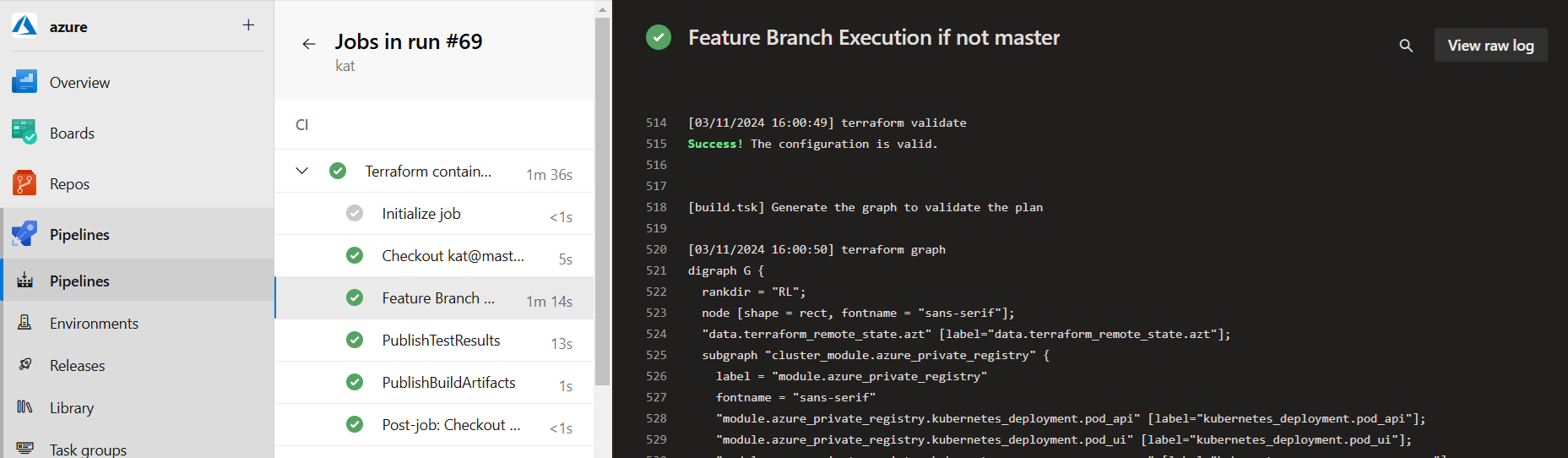
Once all modules have been downloaded, syntax is then validated.
Write-Host "[$TASK_NAME] Validate Syntax`n" -ForegroundColor Cyan
terraform validate

Write-Host "[$TASK_NAME] Generate the graph to validate the plan`n" -ForegroundColor Cyan
terraform graph
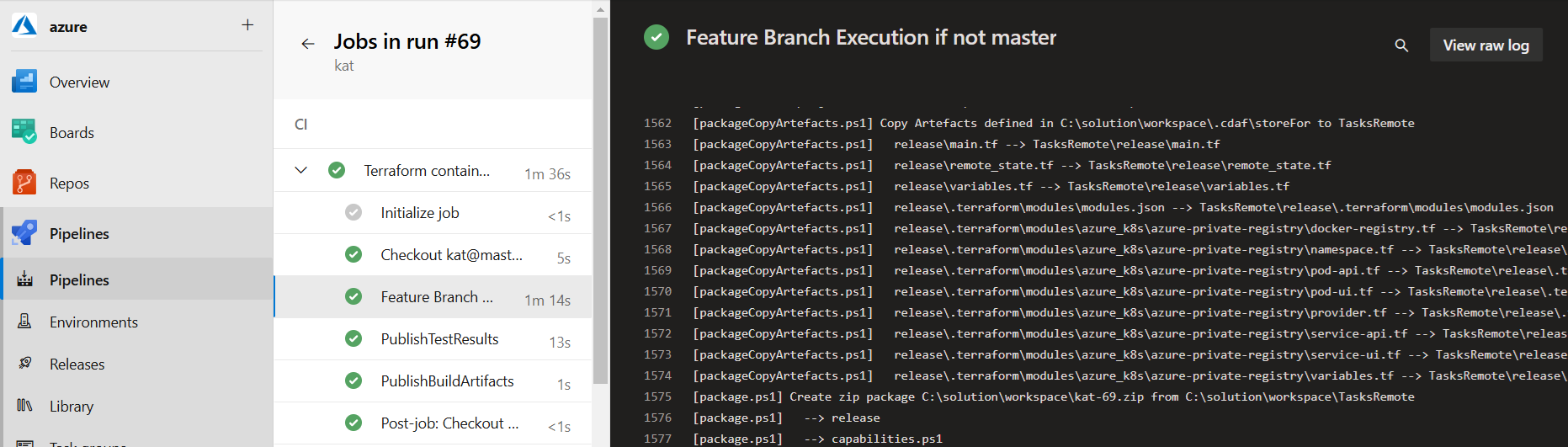
Once validated, copy the modules and your .tf files to a release directory, as outlined below, with consideration of numeric token substitution.
Numeric Token Handling
All the deploy-time files are copied into the release directory. Because tokens cannot be used during the build process, an arbitrary numeric is used, and this is then replaced in the resulting release directory. Tokenisation is covered in more detail in the following section.
The deploy-time components are then copied into the release package, based on the storeFor definition in your solution directory.
# Tokenised Terraform Files
release
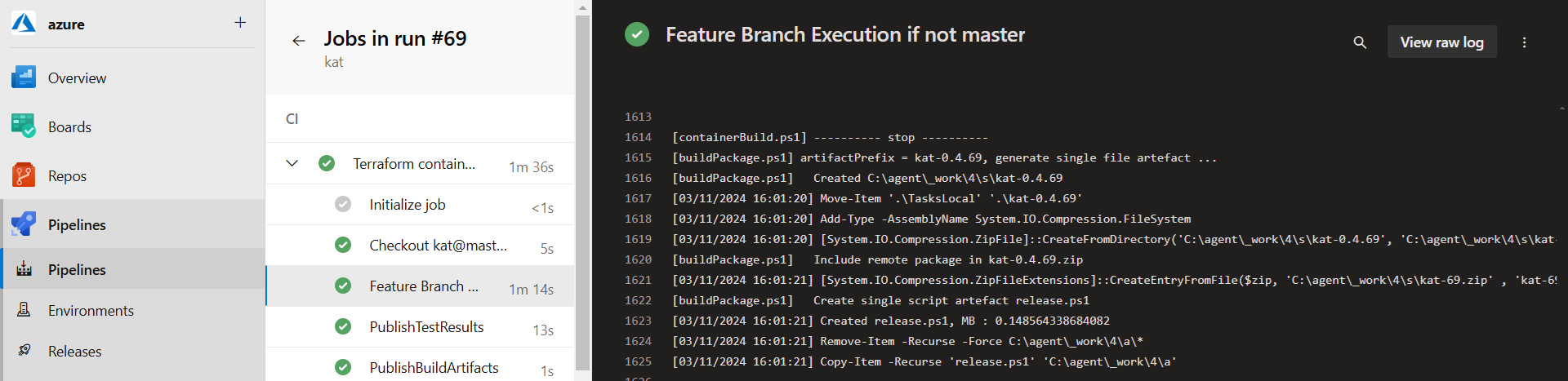
The modules and helper scripts are then packed into a self-extracting release executable as per standard CDAF release build process
Deploy Time
The build-time state.tf file is replaced at deploy time, replacing the declaration of local storage and removing the build-time module dependencies in your .tsk file.
To De-tokenise this definition at deploy time, name/value pair files are used. This allows the settings to be decoupled from the complexity of configuration file format.
If these were to be stored as separate files in source control, they would suffer the same drift challenge, so in source control, the settings are stored in a tabular format, which is compiled into the name/value files during the Continuous Integration process.
target  aks_work_space  name_space  REGISTRY_KEY       REGISTRY_KEY_SHA
TEST    aks_prep        test        $env:REGISTRY_KEY  FD6346C8432462ED2DBA6...
PROD    aks_prod        prod        $env:REGISTRY_KEY  CA3CBB1998E86F3237CA1...
Note: environment variables can be used for dynamic value replacement, most commonly used for secrets.
These human readable configuration management tables are transformed to computer friendly format and included in the release package (release.ps1). The REGISTRY_KEY and REGISTRY_KEY_SHA are used for Variable Validation, creating a properties.varchk as following
env:REGISTRY_KEY=$env:REGISTRY_KEY_SHA
Write the REGISTRY_KEY_SHA aa a container environment variable, so that when SHA changes, the container is automatically restarted to pick up the environment variable change, and hence the corresponding secret is also reloaded.
env {
  name = "REGISTRY_KEY_SHA"
  value = var.REGISTRY_KEY_SHA
}
An additional benefit of this approach is that when diagnosing an issue, the SHA can be used as an indicative secret verification.
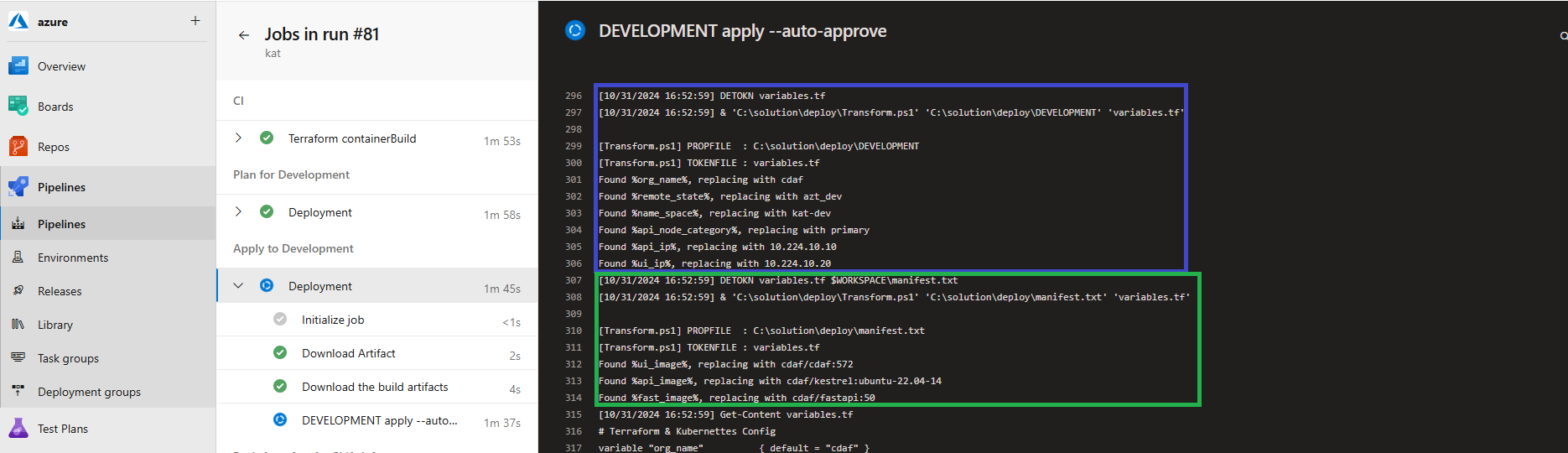
To support the build-once/deploy-many model, the environment specific values are injected and then deployed for the release. Note that the release is immutable, and any change to any component will require a new release to be created, eliminating cherry picking. The tasksRun.tsk performs two levels of detokenisation, the first is for environment specific settings, and the second applies any solution level declarations.
Environment (TARGET) specific de-tokenisation is blue, and solution level de-tokenisation in green:
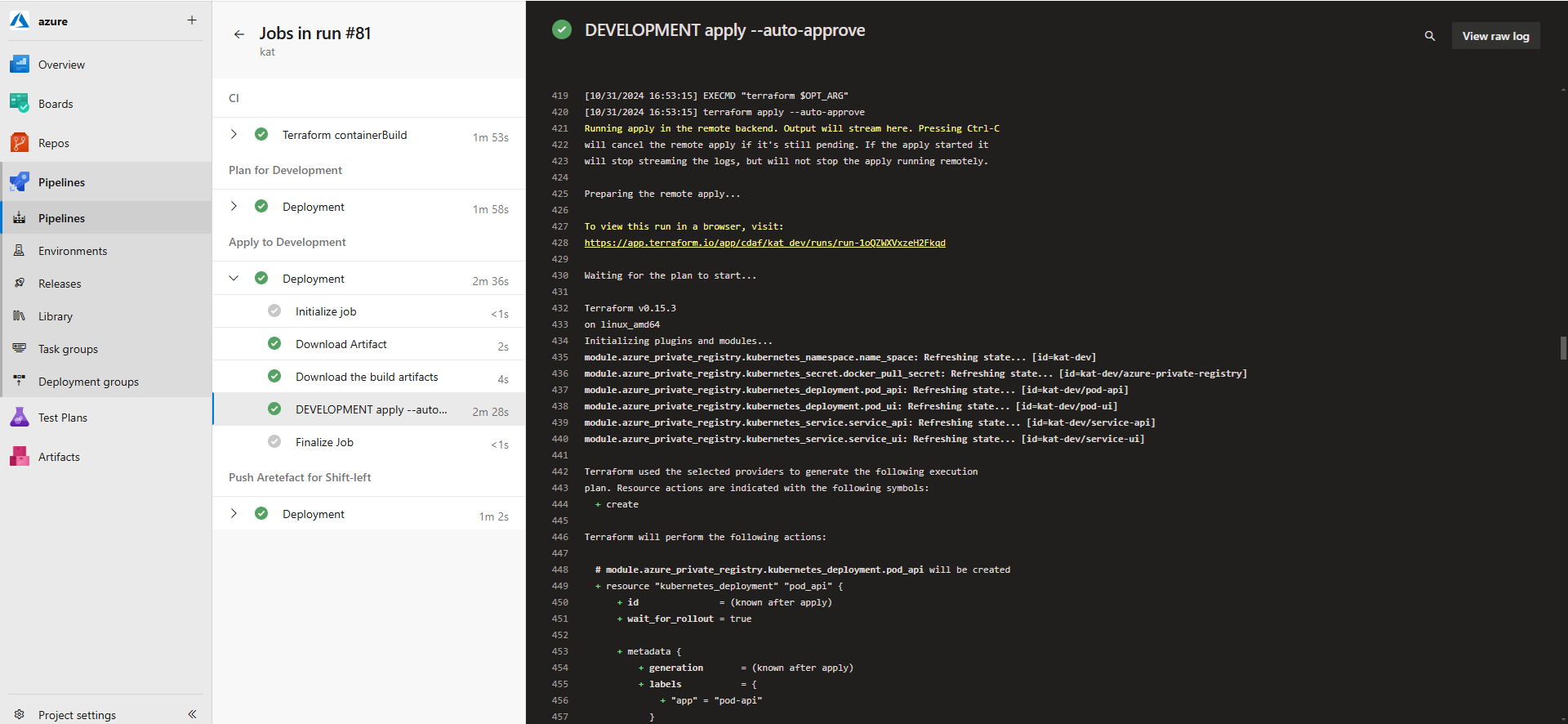
Terraform Cloud is being used to perform state management. To avoid false negative reporting on Terraform apply, the operation is performed in a CMD shell.
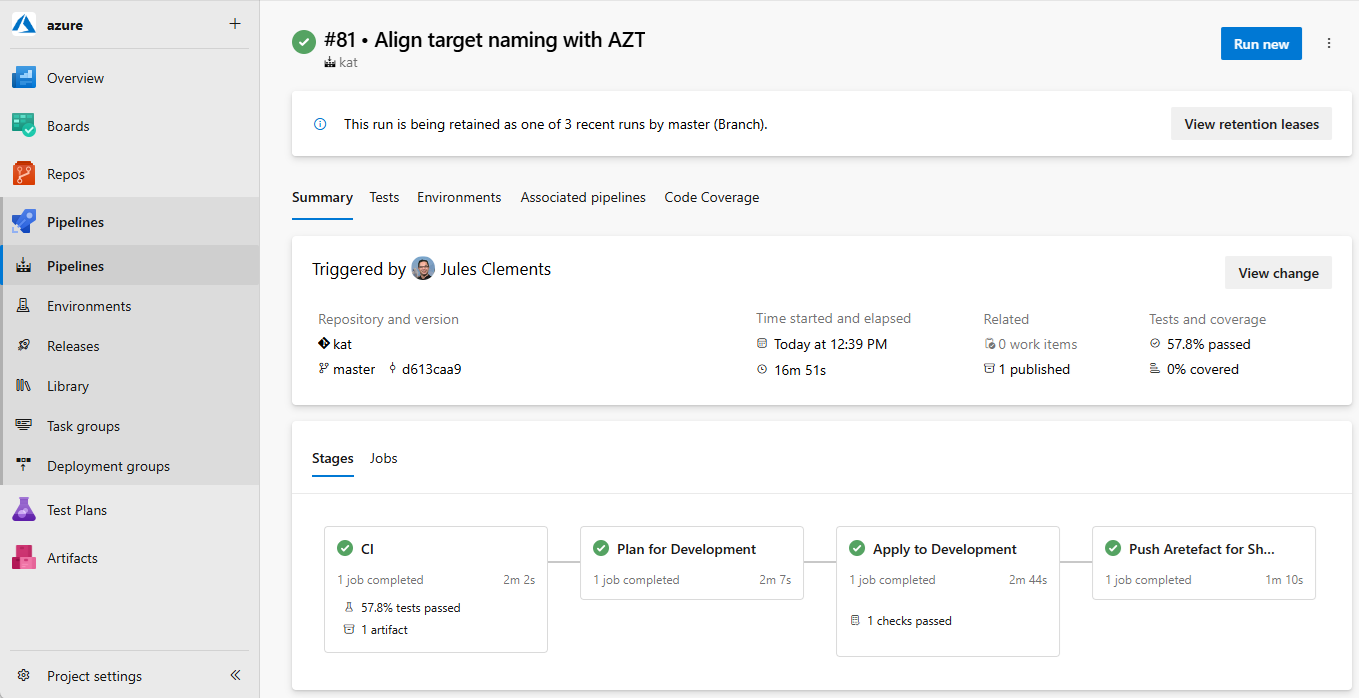
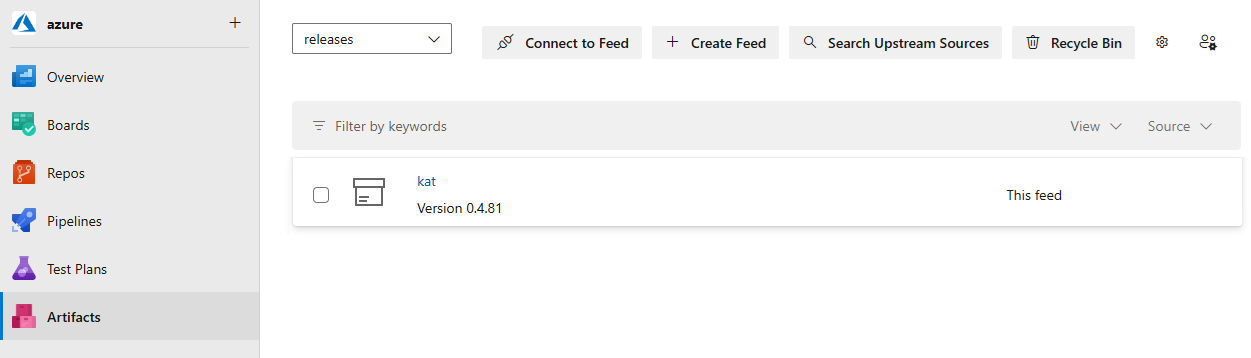
The package can be retrieved using the semantic version, or latest (current production).
To see how this can be consumed in a Release Train approach, see Terraform Cloud.
Custom State Management
Custom Desired State Management Solution
This example provides desired state management to the MuleSoft Anypoint CloudHub 2 platform. As at time of writing, a Terraform provider existed, but was incomplete, having no mechanism to deploy the runtime.
The application stack is made up of individual API definitions, each paired with a runtime component.
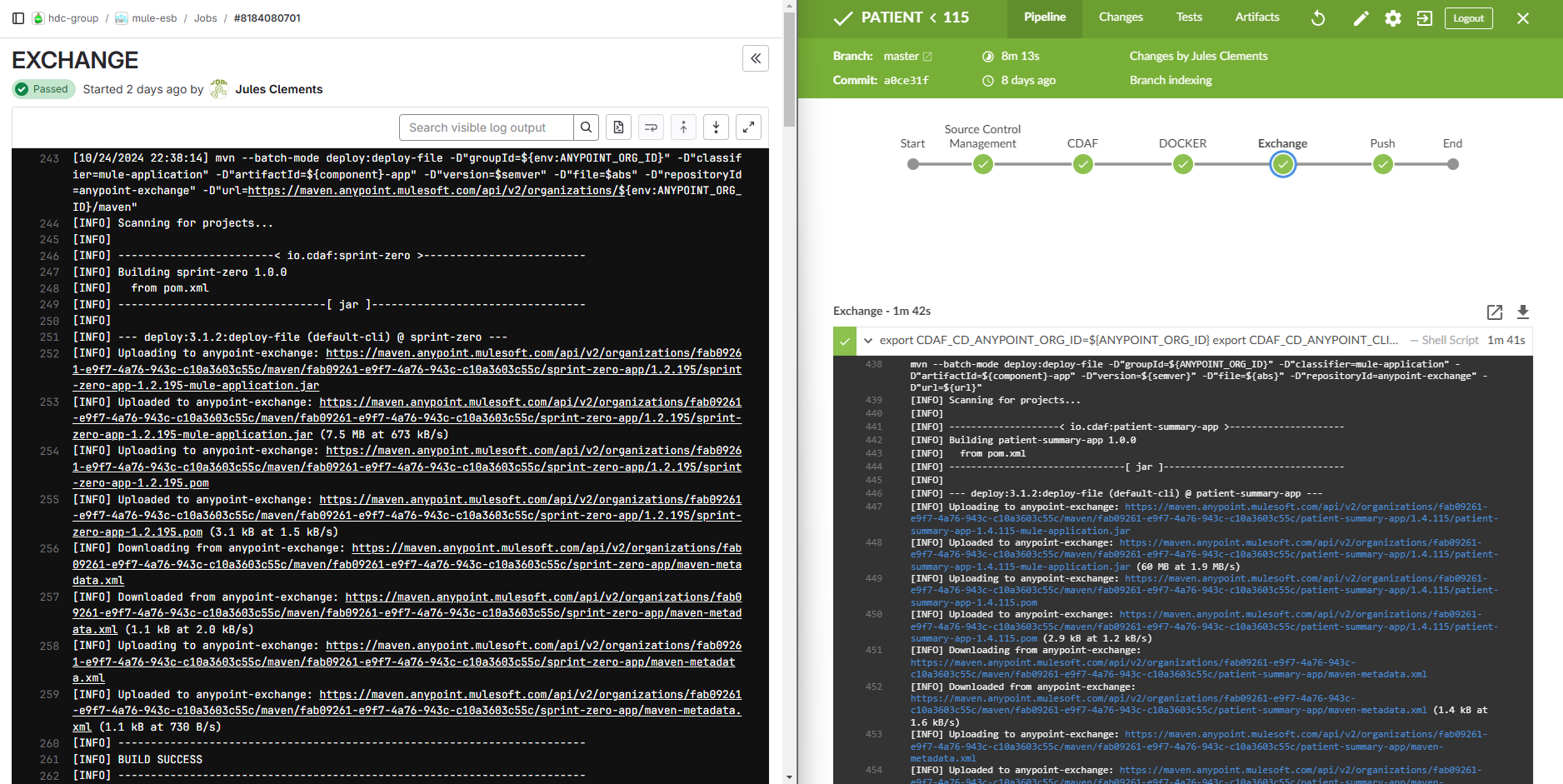
The proprietary Mulesoft Anypoint Platform artefact store is called Exchange, and each artefact is called an Asset. Each asset is pushed to the exchange from the autonomous development pipelines. In the examples below, these are GitLab for Windows and Jenkins for Linux. Both use platform independent Maven deploy to push the asset.
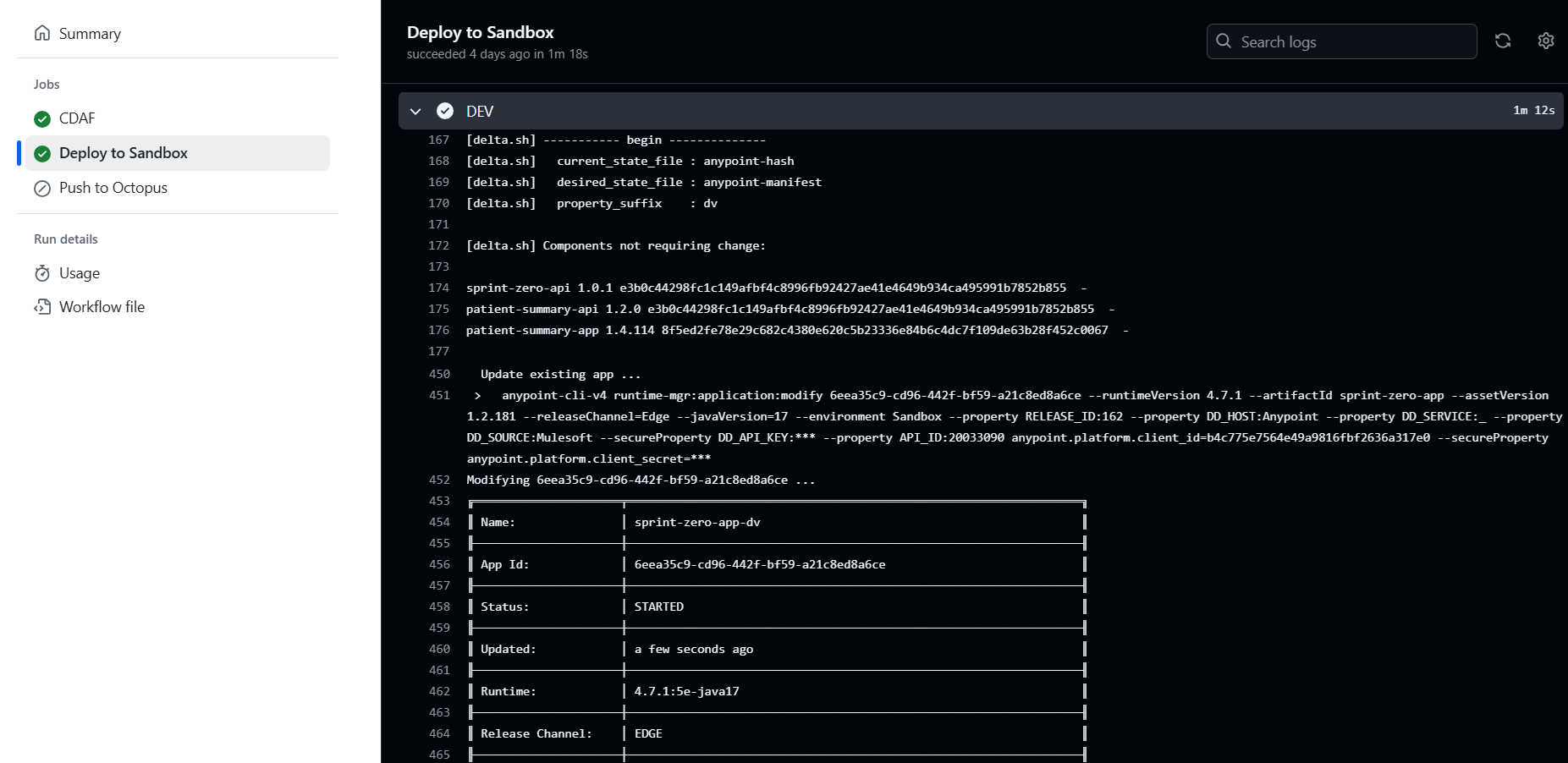
The release declaration is in the form of a manifest, specifying each desired component and it’s version.
API                        Runtime
sprint-zero-api=1.0.1      sprint-zero-app=1.2.195
patient-summary-api=1.2.0  patient-summary-app=1.4.114
While the stack construction is the same in all environments, unique settings for each environment are defined in configuration management files, e.g. properties.cm. The properties management is covered in more detail in later sections.
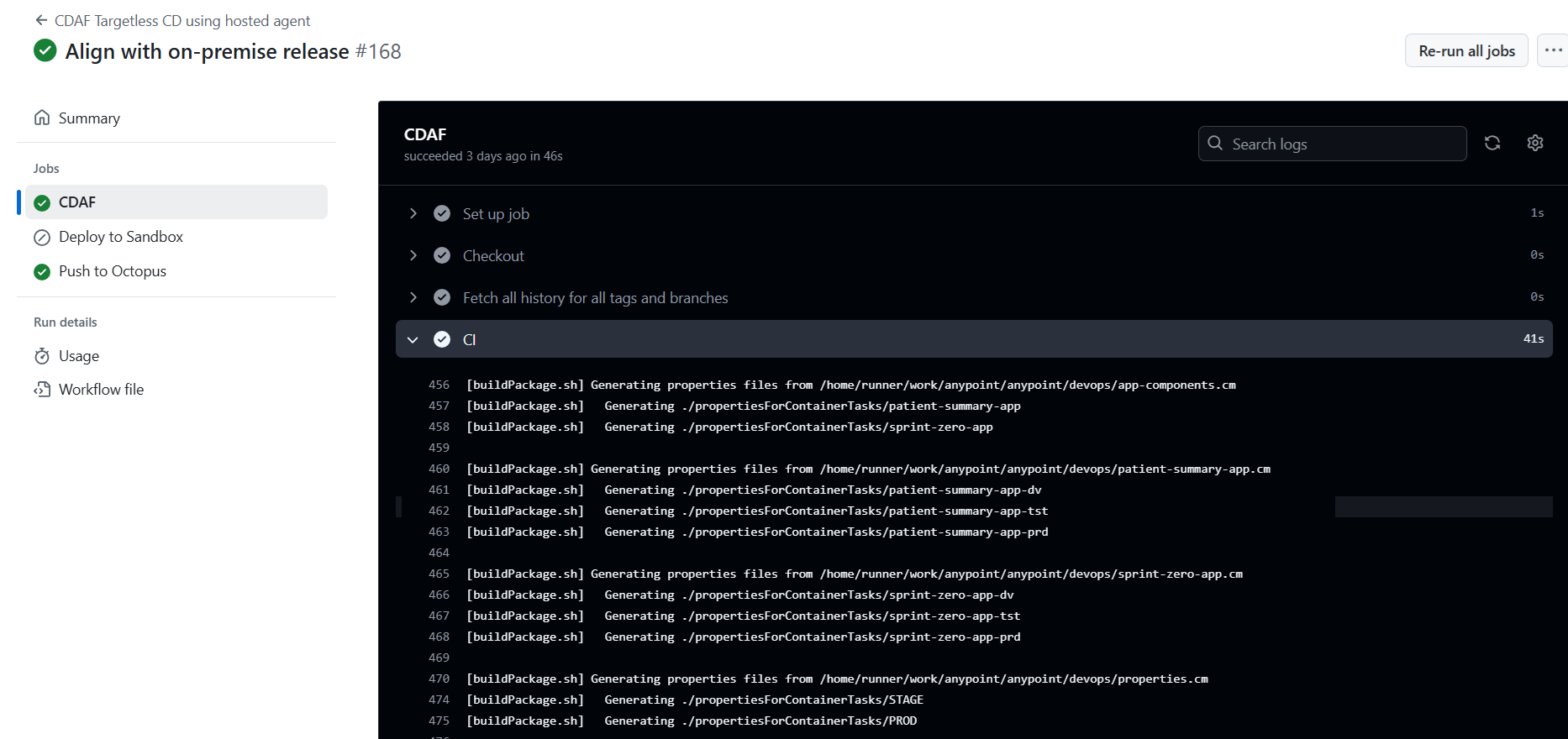
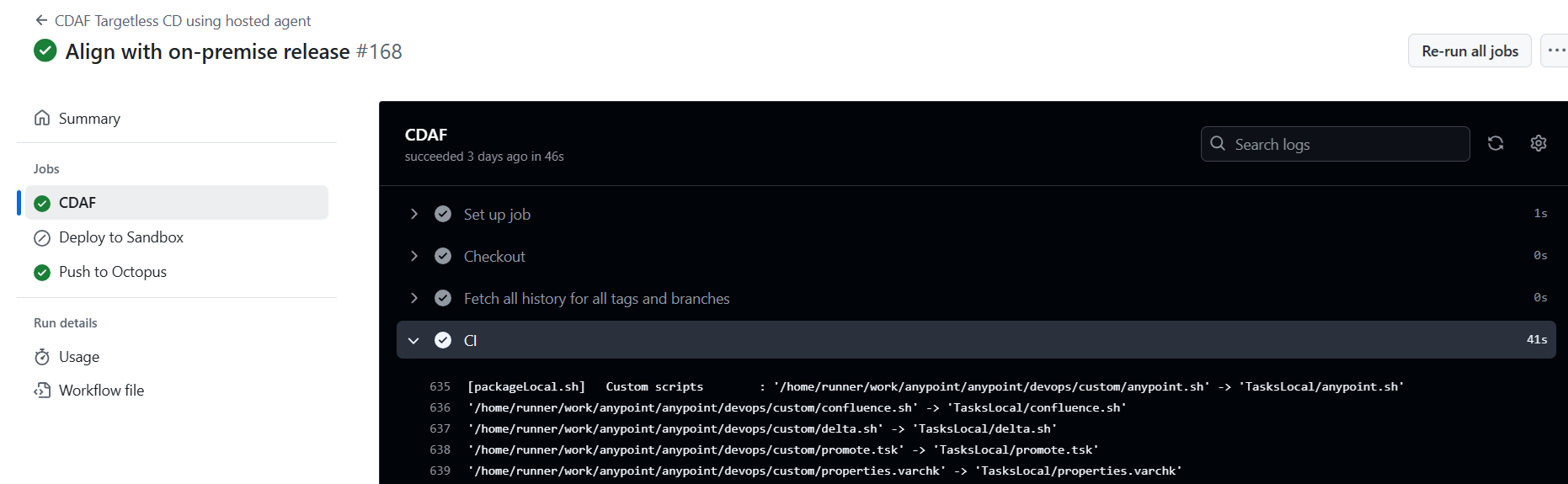
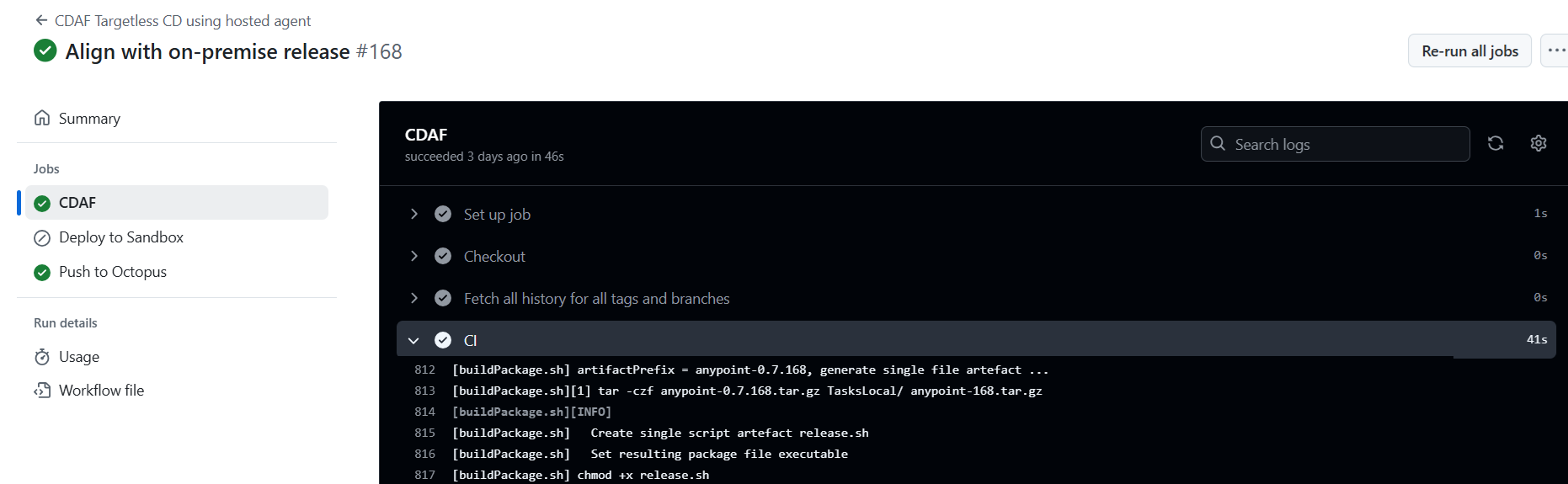
The key construct for the Authoritative Release is that all aspects of the release process are predictable and repeatable. Configuration and helper scripts are packaged into an immutable release. No build process is required, so the minimal CDAF.solution is all that is required, assuming the custom state management is placed in the custom directory within the solution directory, e.g.
The application and environment settings are split into separate configuration management files. Application settings are those which have the same value, for the release, in all environments.
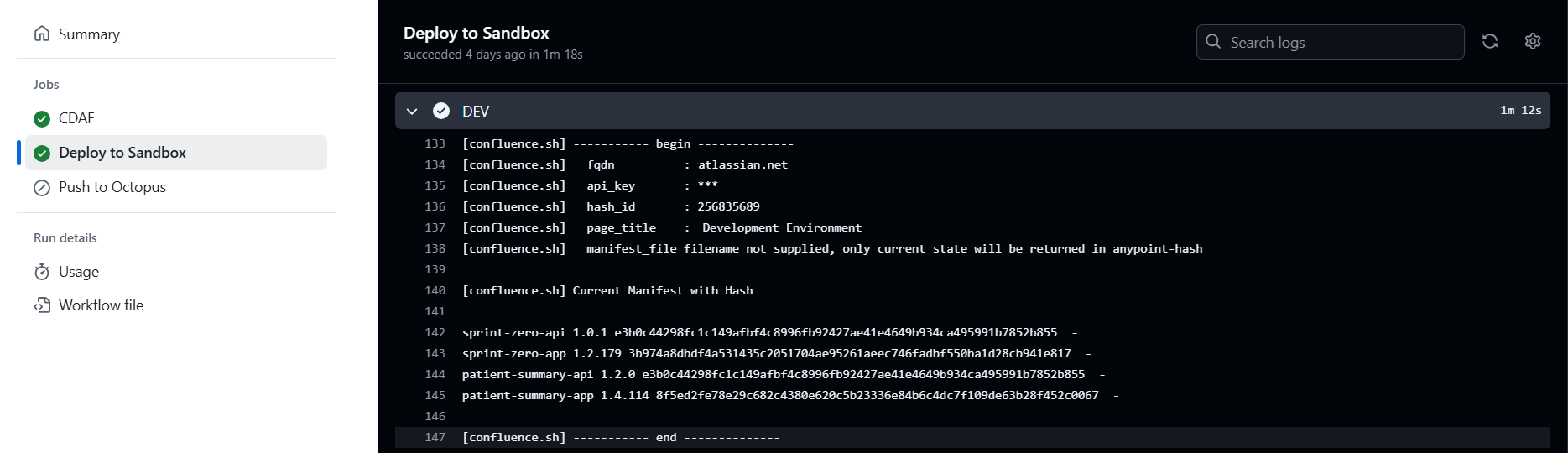
At deploy time, an array is constructed combining the application settings and the environment properties. A SHA-256 hash is generated from each array, to provide an identification mechanism of state, without disclosing any of the settings, some of which maybe sensitive.
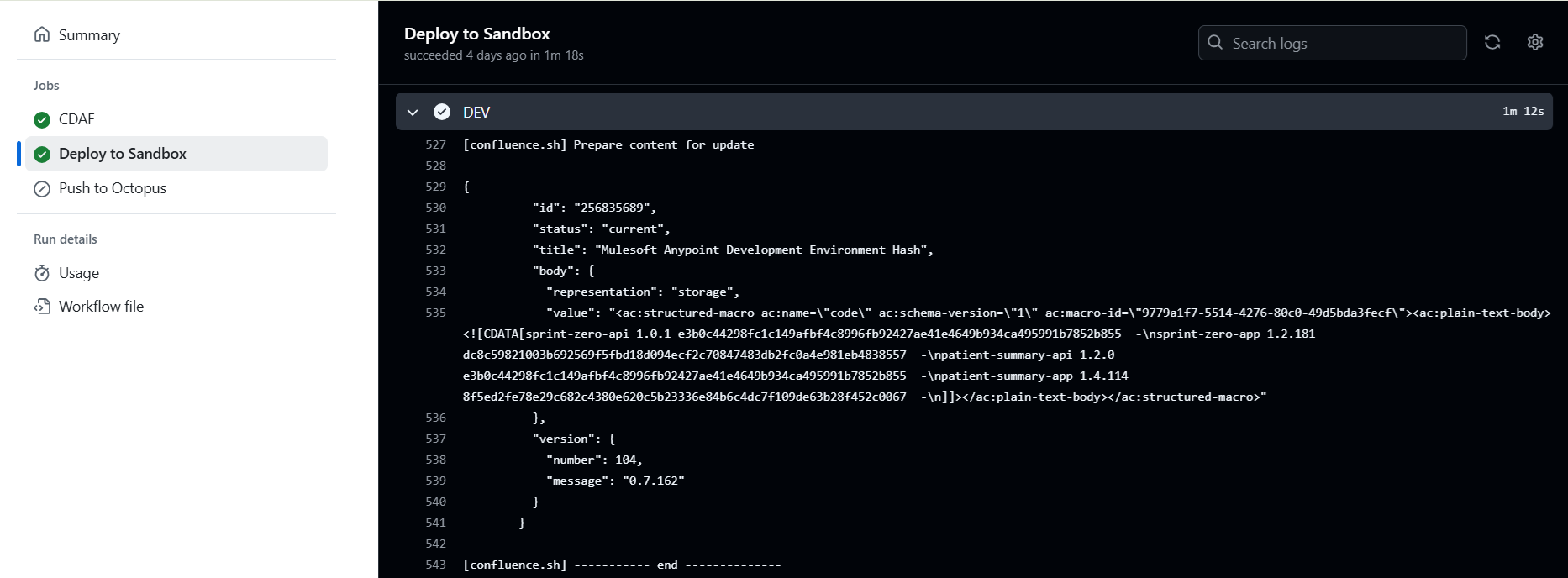
After deployment, these are persisted. In this example, they are stored in an Atlassian Confluence page. The advantage of this is that if it is desired to reset an environment after suspected manual interference, the record(s) can be deleted and the deployment rerun.
Once complete, the new current state is persisted.
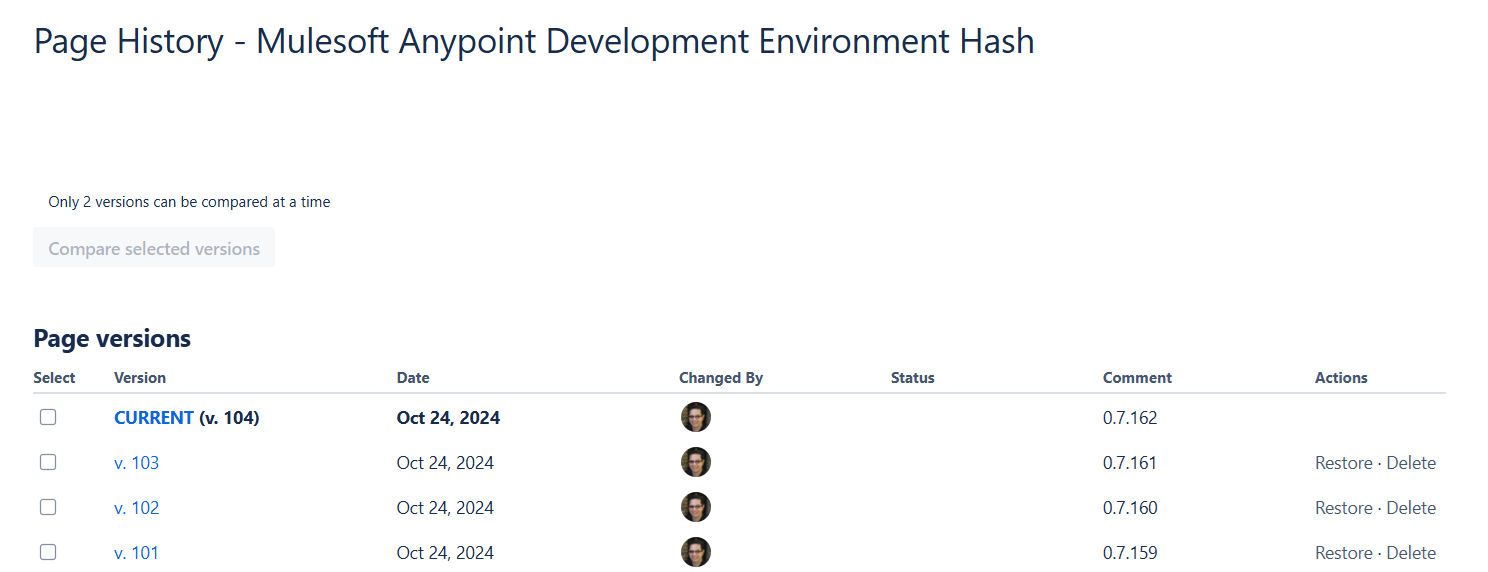
These can be aggregated in the Wiki to provide a consolidated view for non-technical users
Note that the overarching release number is used as a update comment when writing to the Confluence page, this provides a release history which is visible outside of the toolchain, which is easier to access by business users such as test managers and product owners.